Explore the Best Mind Mapping Tool for Creativity in 2025
In the fields of clarity and productivity. Mind mapping is among the skills that are perfect for organizing information, brainstorming ideas, and structuring complicated ideas and projects. Moving beyond paper and pen, digital mind-mapping tools offer more features for inserting and arranging ideas. Some of the tools can even provide multimedia integration, cloud collaboration, and seamless export. Are you looking for the best mind-mapping tools to help you organize your thoughts? Worry no more! In this post, we will introduce various tools you can rely on for mind mapping. You will also learn more about their features, pros, and cons. We will also teach you how to mind map with the best tool. Therefore, if you want to obtain all the knowledge you need about the tools, read here instantly.

- Part 1. MindOnMap: An Excellent AI Mind Mapping Tool
- Part 2. EdrawMind: Good Mind Mapping Tool for Collaboration
- Part 3. GitMind: Best AI-Powered Mind Mapping Tool
- Part 4. XMind: Ideal Mind Mapping Tool for Creativity
Part 1. MindOnMap: An Excellent AI Mind Mapping Tool
Want the best AI mind mapping tool? In that case, you can try using MindOnMap. In terms of creating an excellent mind map, this tool is highly recommended. It is because the tool offers all the features you need. You can even use multiple shapes, font styles, sizes, arrows, connecting lines, and more. The best part here is the straightforward user interface, making it ideal for both skilled and non-professional users. What we like about this mind map maker is that you can automatically save the visual representation. Plus, you can save your mind map in various formats, including PNG, PDF, JPG, DOC, and more. You can even save the map to your MindOnMap account, which is ideal for preservation.
More Features
• The tool can leverage its AI-driven technology to create a mind map automatically.
• It can offer various elements such as shapes, lines, arrows, text, and more.
• The auto-saving feature is available.
• It can offer the collaboration feature.
• The tool is accessible on both desktop and browser.
To start using this mind map maker, you can check the simple instructions below.
You can visit the main website of MindOnMap. Then click/tap the Download button to download it to your desktop.
Secure Download
Secure Download
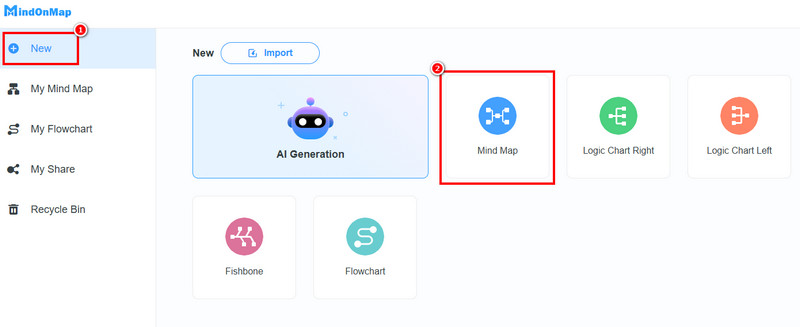
After you run the software, go to the New section and hit the Mind Map feature. Then, the main interface will appear on your screen.
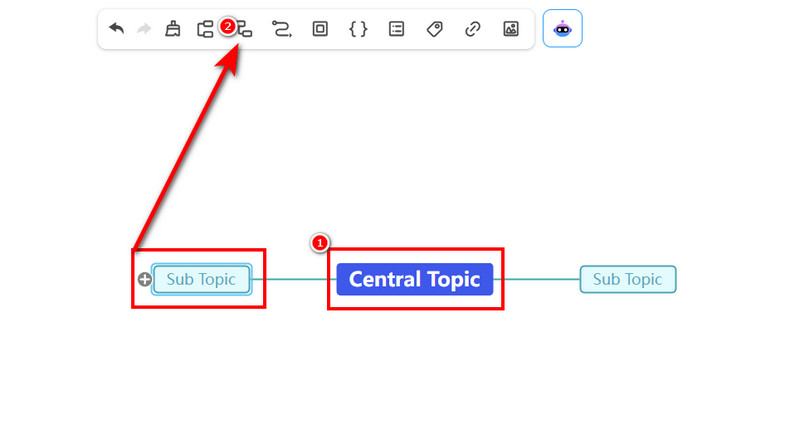
From the main interface, click the Blue box and insert your main idea. After that, select the Add Node option above to add another box for your sub-ideas.
For the last step, tap the Save button above to keep it on your MindOnMap account. To download your mind map, hit the Export button.
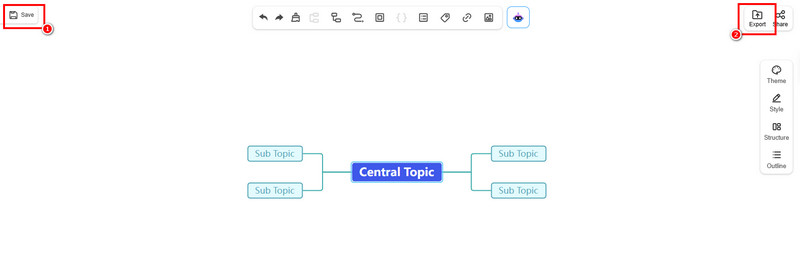
Click here to check the example of a mind map created by MindOnMap.
Good Things about the MindOnMap
• Operating the software is simple, thanks to its easy-to-use layout.
• The tool includes a Share function, perfect for collaboration.
• The software can offer various templates to make creation easier and faster.
• The good part about the tool is that all saved mind maps and flow charts are editable.
This tool has the best capabilities for creating mind maps. It can even create additional visual representations, such as food mind maps, life maps, tables, journals, and more. With that, access this tool and check its overall potential.
Part 2. EdrawMind: Good Mind Mapping Tool for Collaboration
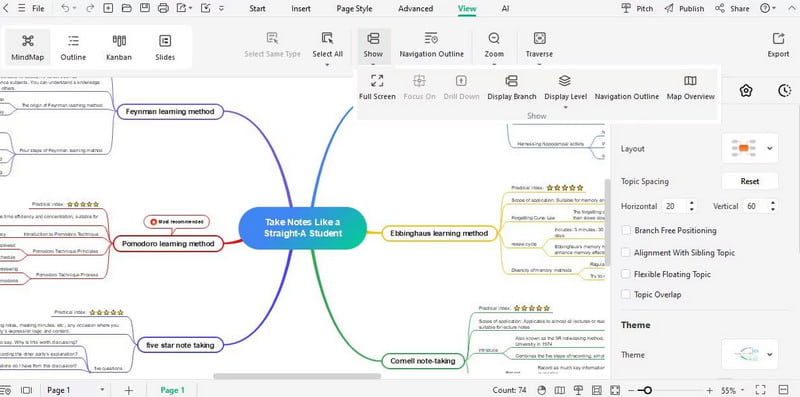
Another best mind-mapping tool you can use is EdrawMind. It is also a reliable tool for collaboration. This tool excels in remarkable versatility and user-centric layout. This tool is perfect for brainstorming, creating presentations, project planning, and much more. The good part here is that it can make your complicated idea simpler and comprehensive by dividing the points. Plus, in terms of accessibility, you can rely on this tool since it is available on Windows, Mac, Android, and iOS. Therefore, if you are looking for an outstanding mind-mapping tool, consider EdrawMind.
Features
• The tool can offer various diagram types.
• It can provide various templates.
• The collaboration feature is accessible.
• It has a smooth export process.
PROS
- The software's real-time editing is seamless and highly effective for all users.
- You can access the tool on various platforms.
- The program's main interface is user-friendly and clean.
CONS
- It has fewer customization and advanced design options.
- It supports fewer output formats.
- The installation process is too slow.
Part 3. GitMind: Best AI-Powered Mind Mapping Tool
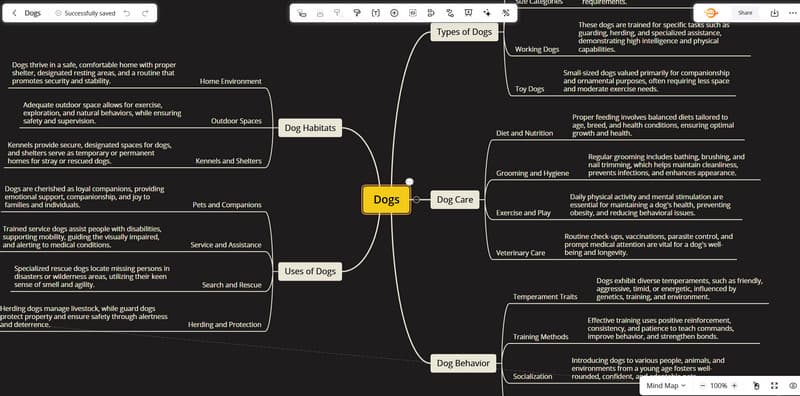
GHitMind has emerged as one of the most powerful mind-mapping tools out there. It even masters all the essentials and collaboration, making it an ideal tool for all users. Its core strength lies in being an internet-based and free-to-operate platform that doesn't compromise on core functionality. It can even offer a neat, simple user interface for a smooth mind-mapping experience. Aside from that, what makes it more powerful is because of its AI-driven technology. Its AI feature is excellent if you want to craft a mind map by inserting prompts, which makes it remarkable and ideal. You can even save the final mind map in various formats, such as PNG, JPG, TXT, and more.
Features
• It is a cloud-based platform perfect for keeping mind maps.
• It offers real-time collaboration.
• The tool uses AI-driven technology to speed up mind mapping.
• It supports various output formats.
PROS
- The process of making mind maps is simple.
- You can access various styles for making the output more engaging.
- The final output is shareable to various users.
CONS
- The free version has various limitations.
- Get the premium version to save the mind map as a PDF.
- The subscription plan is costly.
Part 4. XMind: Ideal Mind Mapping Tool for Creativity
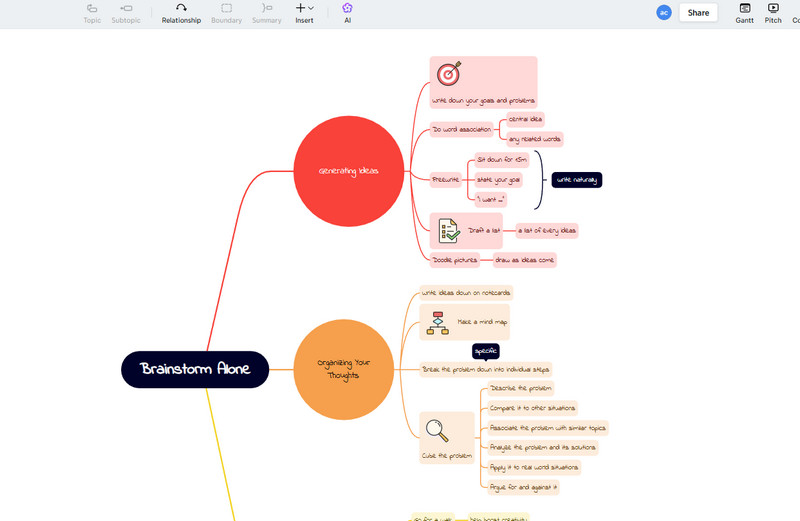
Is your goal to create an appealing and creative mind map? Worry no more! To get your desired output, one of the best mind mapping tools you can access is XMind. It also focuses on users who want to create a well-structured, in-depth, and professional mind map. The good part here is that the tool is not only an excellent mind-mapping tool. It is an outstanding instrument for thought organization, presenting intricate ideas, and complex planning. You can also ensure your visual representation is appealing by choosing your preferred style. You can select your desired color, font style, format, and more. Thus, we can tell that XMind is among the best mind map tools you can rely on.
Features
• The tool can provide various chart structures.
• It supports map-to-presentation features.
• It can offer various styles to create an appealing output.
PROS
- The tool ensures you can create the most visually impressive, presentation-ready mind maps.
- The tool is ideal for complex ideas because it can handle complex information without slowing down.
- This mind map maker offers all the features needed to craft an ideal mind map.
CONS
- Some of the features are hard to locate.
- The tool's premium version is expensive.
Conclusion
These are the best mind mapping tools you can use on your desktop and browser. With that, choose your preferred tool and start creating your mind map. Also, if you want the most reliable and powerful tool that ensures you get your desired outcome, we recommend MindOnMap. It offers a simple interface, collaboration and auto-saving features, and a smooth export process, making it the best tool.