Leading 5 Time Management Tools for Work or Students
Time and task management solutions can help you become more productive. Time management software offers key capabilities for streamlining project planning, increasing productivity, and accomplishing more in less time.
In line with that, these best time management tools serve as a central hub for tasks, deadlines, and project scope details, bringing together all project elements. They enhance collaboration by encouraging team members to communicate effectively and delegate tasks, and they mitigate burnout through effective capacity planning. These tools can help teams identify bottlenecks, track progress, and make informed, data-driven decisions to enhance workflows. Let us now explore the top time management tools and how to find the ideal solution to fit your team's needs.
- 1. Why Time Management is Vital
- 2. How to Choose the Best Tool
- 3. Top 5 Time Management Tools
- 4. FAQs about Time Management Tools
1. Why Time Management is Vital
Time management is essential because it allows you to use your time wisely and stay organized in both your professional and personal life. Prioritizing critical work and creating clear goals will help you avoid unneeded stress and last-minute pressure. It allows you to focus on what is genuinely important, be productive, and generate superior outcomes without feeling overwhelmed.
Beyond increasing productivity, efficient time management fosters balance and well-being. It guarantees that you have time for rest, relationships, and personal development while also meeting deadlines and responsibilities. Whether for school, business, or personal projects, managing your time effectively allows you to stay in control, make consistent progress, and achieve long-term success with minimal effort.

2. How to Choose the Best Tool
When assessing time management tools, take into account the following crucial criteria:
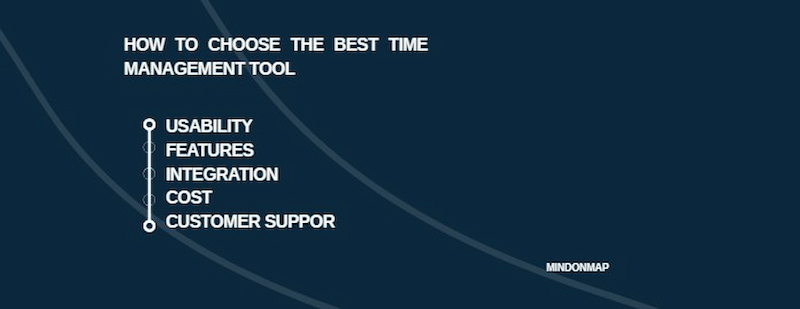
Usability: Look for a tool with an intuitive design, simple navigation, and a short learning curve. A pleasant onboarding experience and easily available tutorials guarantee that teams can get up and running quickly and leverage the tool's capabilities.
Features: Consider which functions are best suited to existing workflows. Is it necessary to have extensive task management skills that include priority setting and deadline tracking? Does the team require collaborative features, such as project timeline monitoring and time tracking?
Integration: Streamlined integration reduces the need for manual data entry across systems, resulting in a more efficient (and frequently more accurate) workflow.
Cost: Time management tools have a variety of pricing options. Individuals may be satisfied with free solutions that provide basic functionality, whereas teams may demand paid memberships that include extensive capabilities.
Customer Support: Reliable customer service is critical for troubleshooting problems. Look for a product that provides complete support choices, such as knowledge bases, FAQs, email help, and even live chat functionality for instant assistance.
3. Top 5 Time Management Tools
Choosing the appropriate time management tool can help you better organize your chores, meet deadlines, and stay productive. These top five tools have distinct qualities that simplify planning, increase efficiency, and assist people or teams in successfully managing time for improved focus and consistent results.
MindOnMap
MindOnMap stands out as one of the most effective and simple time management solutions for visual thinkers. Unlike traditional planners or task boards, it converts your ideas, goals, and activities into simple, interactive mind maps, allowing you to plan better and stay organized with less effort. Whether you're brainstorming, managing projects, or aligning team priorities, MindOnMap offers a new method to stay productive and focused.
Secure Download
Secure Download
Key Features
• Mind map time management with templates.
• Real-time collaboration and commentary.
• Simple drag-and-drop layout tools.
• Cloud-based access and safe storage.
• Export as PDF, PNG, or JPG.
PROS
- The UI is clean and easy to use.
- Enhances creativity and concentration.
- Perfect for both individual and group planning.
- Easy to share and access from anywhere.
CONS
- There is no built-in time tracking.
- Syncing requires internet access.
- The free plan offers fewer design options.
Pricing
• Free: $0- 50 nodes, up to 3 mind maps, PNG/JPG export with watermarks, 100 AI credits.
• Monthly Plan: $15/month, unlimited nodes, full export (no watermark), 1000 AI credits, 500 MB cloud storage.
• Annual Plan: $6/month (billed annually), all monthly features plus 15,000 AI credits, 1 GB storage.
• 3-Year Plan: $4.50/month (billed every 3 years), all features, 60,000 AI credits, 3 GB storage.
Calendar
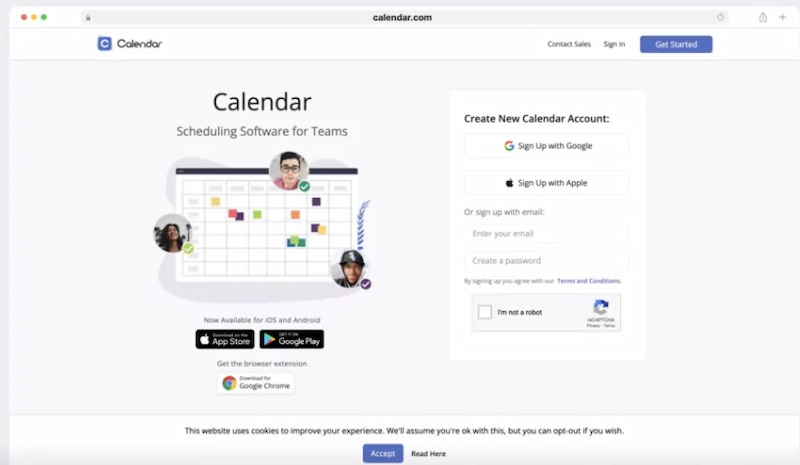
A Calendar is a useful time management tool that streamlines scheduling, daily activities, project planning, and client appointments, allowing you to properly arrange your workday without the need for back-and-forth emails. It's a popular alternative to Google Calendar.
Key Features
• Make time slots for events and online meeting templates.
• Share calendar links with clients, coworkers, and anyone else.
• Anyone with whom you've given your calendar link can then plan meetings with you at the most convenient time for you.
Pricing
• Basic: Free
• Standard: $8 per user/month.
• Pro: $12 per user/month.
• Enterprise: Custom pricing for teams of 30+
Trello
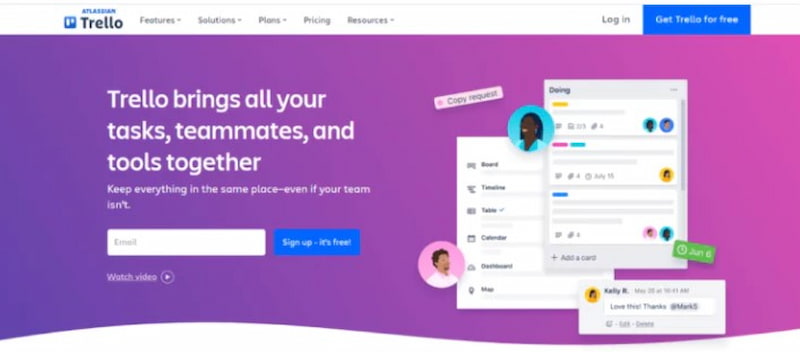
Trello is a popular task management solution that visually organises work using Kanban boards and to-do lists. It's an excellent choice for project managers and teams because everyone can simply monitor job progress and keep on track.
Key Features
• Trello's Butler automation allows you to automate time-consuming activities and workflows.
• Easily generate a Gantt chart, Kanban visual, or time blocks for project activities.
• Advanced checklists allow you to keep track of each individual item within larger projects.
Pricing
• Free: $0 – for up to 10 collaborators per workspace
• Standard: $5 per user/month or $6 monthly
• Premium: $10 per user/month or $12.50 monthly
• Enterprise: $17.50 per user/month with custom pricing for larger teams
Evernote
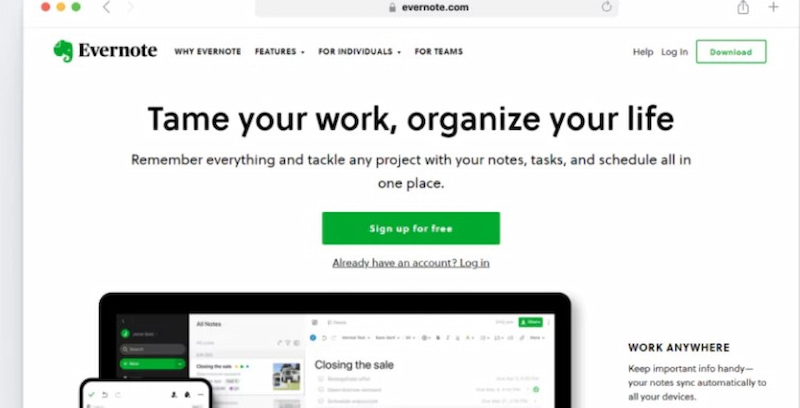
Evernote is a versatile note-taking and content organizing program that allows you to easily manage ideas, tasks, and projects. You can take extensive digital notes, add files, save online clippings, and include audio, making it an ideal place to brainstorm and organize your ideas for improved work management.
Key Features
• Save time switching between devices by syncing and organizing your notes across all of them.
• Save any web page, online article, or PDF file with the simple web clipper functionality.
• Search for precise information in handwritten notes and photographs.
Pricing
• Personal: $14.99 per month
• Professional: $17.99 per month
• Enterprise: Custom pricing available
ProofHub
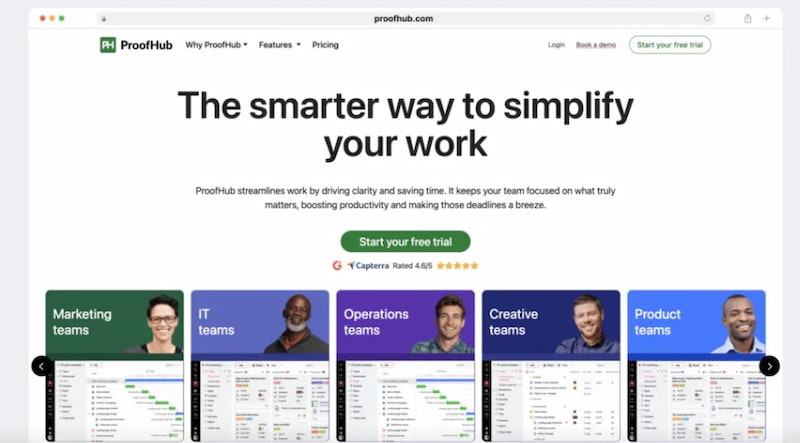
ProofHub is a comprehensive project management and team communication platform that provides everything you need in one location. A streamlined workspace allows you to effortlessly organize projects, assign tasks, log time, and collaborate with your team.
It's an excellent solution for teams looking to stay focused and productive without juggling different apps.
Key Features
• Intuitive interface with no extra clutter to focus only on what matters.
• Flat pricing with no per-user fees, as well as built-in chat, time tracking, proofing, and other features at no additional cost.
• Track progress against the projected time and receive timely notifications of any delays.
Pricing
• Essential: $45 per month, billed annually.
• Ultimate Control: $89 per month, billed annually.
4. FAQs about Time Management Tools
Do time management tools actually increase productivity?
Absolutely. They enable you to visualize your priorities, track performance, and keep consistency. These solutions let you focus on what genuinely drives success by controlling deadlines and avoiding wasted time.
Can I use several time management tools simultaneously?
Yes. Many people blend calendars, project boards, and note-taking apps. However, good integration is recommended to avoid overlap and maintain your workflow simple and effective.
Are time-management systems appropriate for teams?
Yes. Many applications contain shared dashboards, calendars, and collaboration features that enable teams to assign tasks, communicate progress, and manage projects all in one location, making coordination easier and more transparent.
Do time management tools function offline?
Some do, but the majority require an internet connection to sync and collaborate. If you frequently work in regions with unstable connectivity, look for tools that allow you to access them offline.
How often should I examine my time management system?
It is recommended that you examine your system once a week or monthly. Regular check-ins allow you to determine what's working, minimize unnecessary steps, and confirm that your tools are still aligned with your objectives and workload.
Conclusion
Time management solutions are essential for increasing productivity, strengthening cooperation, and maintaining a healthy work-life balance. Individuals and teams may utilize the correct tools to plan efficiently, stay organized, and make better use of their time. MindOnMap stands out among the top options because of its ease of use, originality, and great visual mapping capabilities. Whether for brainstorming, tracking progress, or defining goals, it facilitates the transformation of ideas into clear, practical strategies that create long-term success.