What Is an AI PDF Summarizer? Complete Guide to Usage & Tools
As someone who reads and researches a lot, I know the feeling of cognitive overload. Our human brain is limited too, which means information can be a pain in the head. Good thing the AI PDF summarizer exists, and it makes the games easier. Because this kind of tool can now summarize a lot of information into short and clear points. That is pretty exciting! That is why, in this article, we will get to know more about its features, benefits, limitations, and a tool that can help us organize information even better.

- Part 1: What is an AI PDF Summarizer?
- Part 2: What Should You Look for in PDF Summarizers?
- Part 3: Best Practices & Tips
- Part 4: MindOnMap: Organizing Details in PDF
- FAQs about AI PDF Summarizer
Part 1: What is an AI PDF Summarizer?
AI PDF Summarizer
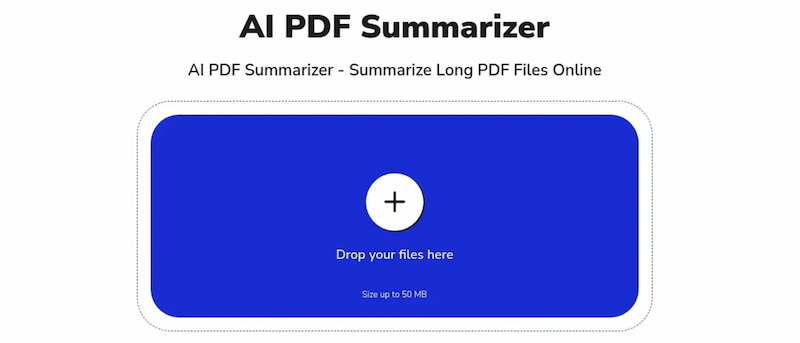
An AI PDF summarizer works similarly to an AI summary generator that uses artificial intelligence to automatically condense long PDF documents into short and clear summaries. This kind of tool is also capable of highlighting the most important points for quick understanding of a certain topic written in the PDF you uploaded. In line with that, it is especially useful for students, researchers, and professionals who need to process large amounts of information efficiently. The purpose of this tool is simple: to make us comprehend easily by having to read and analyze all of the points. Indeed, you can really skip nonsense details with an AI PDF summarizer and save time. Hence, here are some key points we can enjoy with this tool.
Key Features of an AI PDF Summarizer
- • Supports multiple formats. You can upload PDFs, Word, PPT, TXT, eBooks, and even images that you would like to summarize.
- • Possess Language Flexibility: You can summarize PDFs in any language.
- • Quick Results: Summaries generated in seconds without complications.
- • Accessibility: Works on Mac, Windows, and Linux without installation.
Benefits of an AI PDF Summarizer
- • You can save time by condensing lengthy PDF documents.
- • It is very useful for quick study notes or research prep.
- • It helps non-native speakers by simplifying complex text in a PDF file.
- • It can offer an interactive Q&A with the document.
Limitations of an AI PDF Summarizer
- • The tool may misinterpret arguments or context.
- • The tool’s accuracy will depend on document quality.
- • Summaries can be too general if the PDF is highly technical.
- • Requires internet access for most tools.
Part 2: What Should You Look for in PDF Summarizers?
When choosing an AI PDF summarizer tool, consider these key criteria to ensure that you will get the best out of it. This also helps you quickly with the things you need to finish, whether it is for study, research, or business. Take a look at these common criteria.
- • Accuracy & Context Handling. We need to ask ourselves: Does the tool capture jargon, arguments, and tone, or just surface-level keywords? The tools must work properly despite having combined information.
- • Format Availability. The tool can handle scanned PDFs, images, or multi-format files. Better if it supports more than what we mentioned.
- • Easy Customization. The output must be customizable, such as options for bullet points, short abstracts, or detailed summaries.
- • Interactivity. Preferably, the tool must be interactive by having the ability to chat with the PDF and ask specific questions.
- • Fast & Efficiency. The tools should be strictly quick with processing without lag.
- • Privacy & Security. It must be safe handling of sensitive documents.
- • Language Support. Summarizes PDFs in multiple languages.
Part 3: Best Practices & Tips for Using AI PDF Summarizer
Best Practices
- • Treat summaries as quick overviews. We still have to care for the full document.
- • Do not forget to run scanned PDFs through OCR to improve accuracy before summarizing.
- • Customize the summary style and double-check the accuracy.
- • For legal, medical, or technical documents, always verify with the original text.
- • Avoid uploading confidential files to online summarizers.
Practical Tips
- • Skim the AI summary, then dive deeper into the original for nuance.
- • Different summarizers may highlight different aspects. For that, you can now compare outputs for a fuller picture and choose what is best for you.
- • Keep summaries concise. This can aim for clarity over detail.
- • Remember that AI can oversimplify.
Verdict
Therefore, AI PDF summarizers are powerful aids for efficiency. However, they are here to help us complement, but not replace, the proper way of careful reading. It is still important to use them for quick insights, verify critical details, protect sensitive files, and always balance machine summaries with human judgment for reliable comprehension.
Part 4: MindOnMap: Organizing Details in PDF
Most of the AI PDF summarizer tools definitely give you the important points from a long PDF document. Often, the output comes in bullet form. Therefore, it might be a little bit blunt and dull. That is why organizing them using a mapping visual is a better way to present it with your classmate. Well, having to transform the details into visuals is also an effective way for you to grasp things easily.
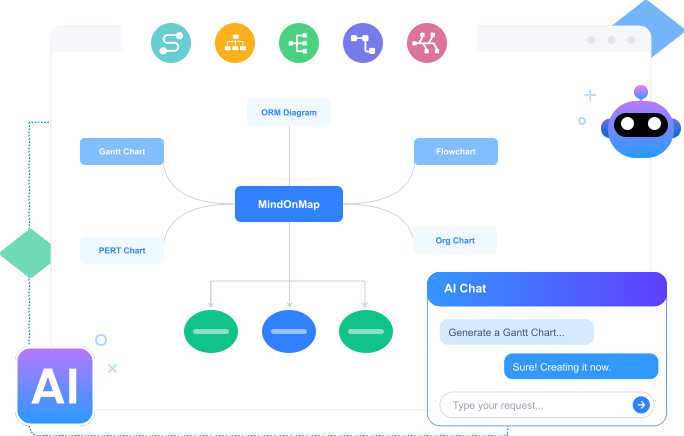
Good thing that it is now easy to make because MindOnMap is here to help us. This is a mapping tool that can transform our summarized PDF information into an aesthetically pleasing presentation or a review. With the use of its wide range of elements, shapes, and themes, you will definitely enjoy using it. See how to use it.
Download MindOnMap from its official website for free and quickly install it on your computer.
Ready the output of a summarized PDF you just did.
Open MindOnMap and access the Flowchart for an instant creation of a map for the summarized details.
You can organize and layout the design by using the Shapes. Start aligning every detail. In these steps, you can decide to categorize themes for an instant comprehension of the main point.
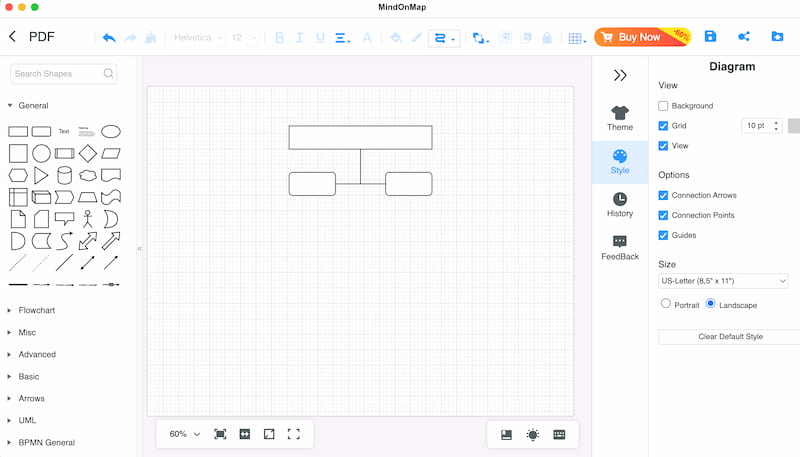
Now, add the Text you just summarized. You can also use the colors and shapes to relay a point or set a mood and tone.
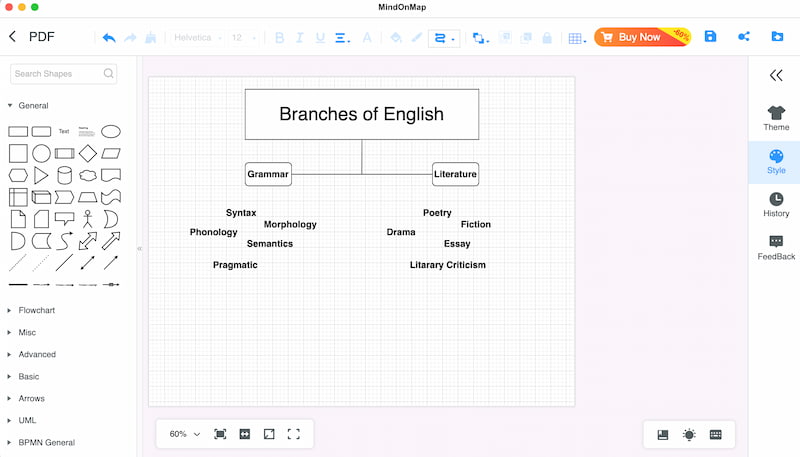
Now, set the Theme of your choice, then save it by clicking Export and choose the file format you need for your PDF summarized version.
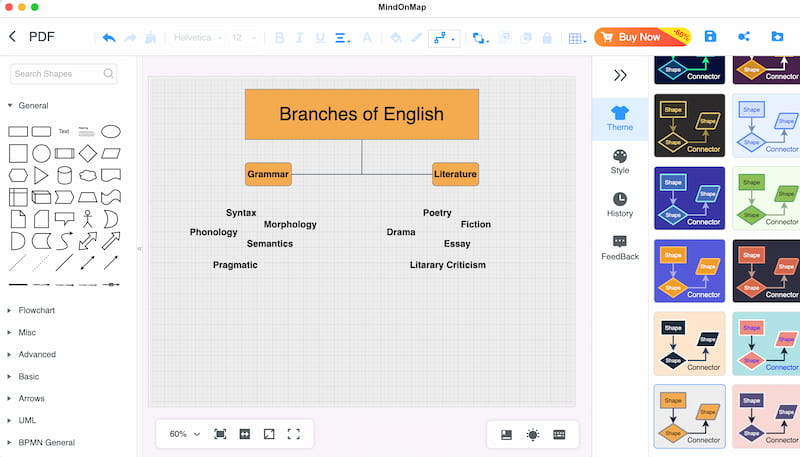
After generating a summary with an AI PDF summarizer, you can organize the extracted information. Using content mapping techniques can help arrange key points into a clear structure, making complex information easier to review, analyze, and share. With MindOnMap, users can transform summarized PDF content into visual maps, diagrams, and organized layouts for better understanding.
FAQs about AI PDF Summarizer
Who can benefit from AI PDF summarizers?
Most of the time, the beneficiaries of AI PDF Summarizer are the students, researchers, and professionals who need to process large amounts of information efficiently and benefit the most from these tools.
Is it safe to upload confidential files to online summarizers?
It’s not recommended. For sensitive documents, use offline or secure summarization tools to protect privacy.
Are AI PDF summarizers always accurate?
Not always. They may misinterpret context or oversimplify technical documents, so it’s best to verify critical details with the original text.
Conclusion
We can now conclude that AI PDF Summarizer is a useful tool that can help us understand certain points in the PDF with overwhelming information. However, this should not be a reason to skip reading the full manual, because AI PDF Summarizer should be used to double-check the details and not to teach us to be lazy. Good thing, MindOnMap is also here to help us organize the details even more for presentation or even double checking its accuracy.