AI Meeting Note Takers: Features, Workflow, & How to Choose
What are the best AI meeting note takers? Well, these kinds of tools are helping us to transform the way we capture, recall, and organize information in both personal and professional settings. These tools can offer exceptional features, like real-time summarization, integration with other platforms, and smooth categorization. These tools ensure that all the discussions, lectures, and brainstorming sessions are recorded. So, check this post and discover all the best AI meeting note takers you can access on your device.

- Part 1. What are AI Meeting Note Takers
- Part 2. How AI Meeting Note Takers Work
- Part 3. Key Features of AI Note Takers
- Part 4. Best AI Note Takers
- Part 5. How to Choose the Right AI Meeting Note Takers
- Part 6. FAQs
Part 1. What are AI Meeting Note Takers
AI meeting note takers are smart tools that automatically record and summarize conversations during online or in-person meetings. These systems employ speech recognition and natural language processing in place of manual note-taking. The tools can properly record conversations, highlight important points, and arrange data in a systematic manner. They frequently interface with programs like Zoom, Microsoft Teams, or Webex, which facilitate the creation of meeting minutes and their subsequent distribution to attendees.
Aside from transcription, advanced AI-powered note takers can offer features. It includes action item detection, searchable archives, speaker identification, and more. This means that they don't just record what was being said. They can assist teams to stay aligned by assigning tasks, surfacing decisions, and ensuring accountability. With these tools, the team can focus more on collaboration and engagement, while making sure that no critical detail is overlooked.
Part 2. How AI Meeting Note Takers Work
Meeting note takers record and analyze speech in real time by fusing speech recognition and natural language processing. The system uses algorithms to discover important themes, choices, and action items after transcribing the audio as participants speak. In addition, various tools use machine learning to gradually increase accuracy by adjusting to various accents, speech patterns, and industry-specific terms.
Once the meeting is done, the AI-powered tool organizes the notes into a structured summary that assigns responsibilities, emphasizes key topics, and offers searchable transcripts. Moreover, some platforms allow for smooth tracking of follow-up actions by integrating directly with project management software or collaborative tools like Slack or Trello.
Part 3. Key Features of AI Note Takers
Want to know more about the key features of the best AI note takers? You can see all the information below.
Real-Time
AI meeting note takers can convert spoken words into text during meetings or lectures. The good thing here is that the conversion process is quick. It ensures that every detail is recorded without requiring any manual typing.
Smart Summarization
The AI-powered tools can condense conversations into concise summaries. They can highlight the most necessary points, outcomes, and decisions. That way, teams can instantly review what matters most.
Speaker Identification
In a meeting, advanced technologies are able to differentiate between several speakers. It makes it possible to attribute notes to the appropriate person, which is particularly helpful for keeping track of who made particular promises or remarks.
Action Item Detection
The good thing about the tools is that they can automatically recognize tasks, agendas, and follow-ups mentioned during the lectures, meetings, or discussions. This feature can help the team stay accountable and ensure that all important details are captured.
Searchable Archives
Each summary and transcript is kept in a searchable format. This feature is ideal for eliminating the need to go through countless notes in order to review previous meetings, locate particular themes, or remember decisions.
Part 4. Best AI Note Takers
Looking for the best AI Meeting Note Takers? You can explore all ten tools in this section.
1. MindOnMap
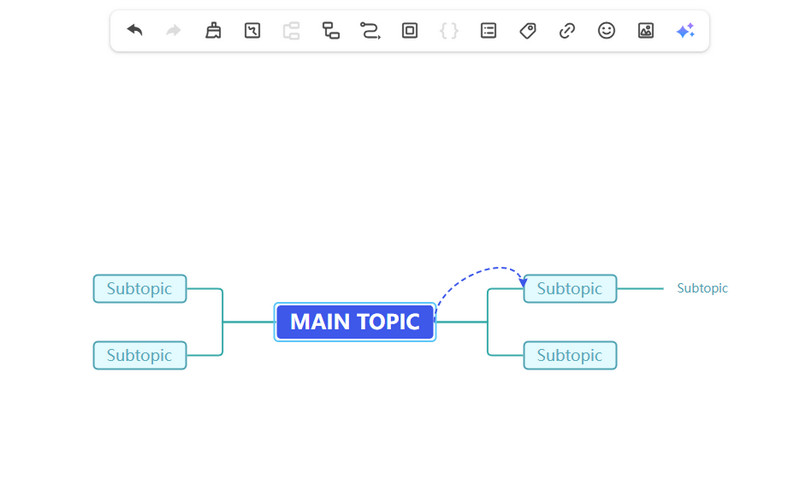
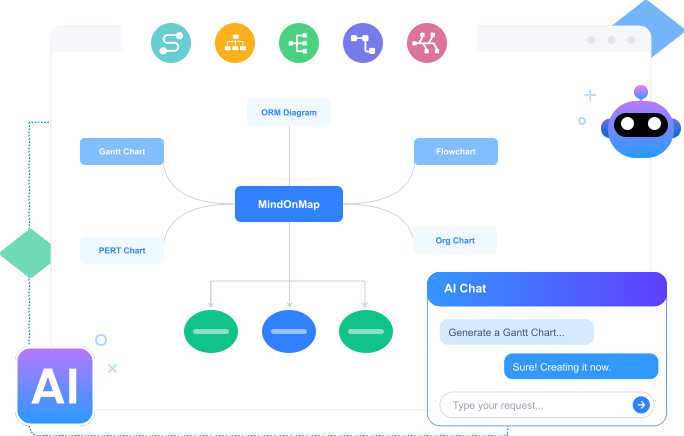
MindOnMap can create clear and organized visual mind maps and flowcharts from lengthy conference audio or supplied papers. Your conversation is automatically divided into logical, related branches of major subjects, subtopics, and action items. This is thanks to its natural language processing engine. Depending on their presentation requirements, users can quickly choose between an outline view, a logic chart, or a mind map for the final data. For project managers, professionals, UX researchers, and creative teams that frequently brainstorm and require the ability to see spatial relationships between intricate concepts, it is a powerful tool for note-taking with mind maps.
2. Otter.ai
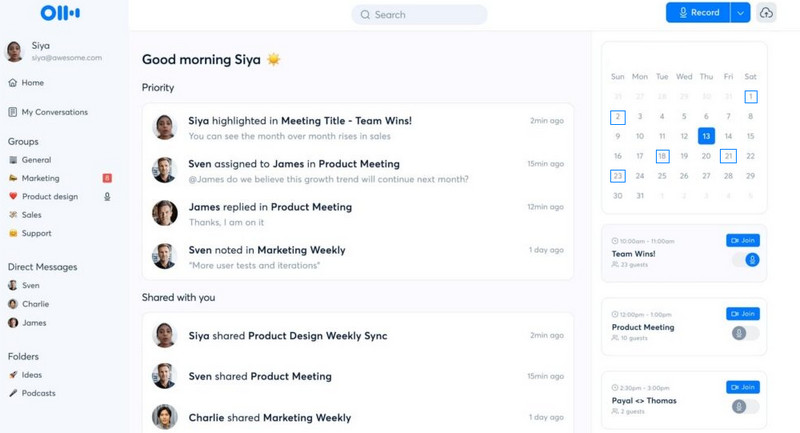
Do you want an AI note taker for Google Meet? In that case, you can use Otter.ai. It also became popular, thanks to its fast and live-scrolling transcripts that let users actively review speech while a call is ongoing. By deploying visible VA into your Google Meet and other platforms, it can record with word-for-word accuracy. It can even snap screenshots automatically of any slide decks, making it more reliable and helpful for the teams.
3. Fireflies.ai
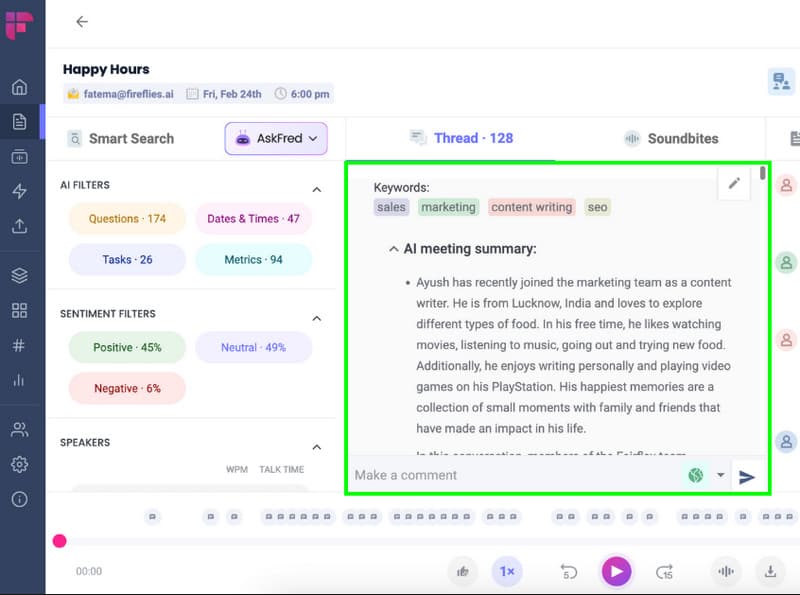
Fireflies.ai is an excellent tool designed for deep conversational intelligence, conversation analytics, and post-meeting workflow automation. It can track performance parameters such as speaker talk-time ratios, positive or negative sentiment, and custom-defined keywords, rather than simply capturing the text. For users wondering how to take notes efficiently during and after meetings, Fireflies.ai offers intelligent one-click search filters that let you quickly identify action items, dates, and metrics from hours of meeting recordings, eliminating the need for manual review.
Free vs. Paid AI Note Takers
| Free Plans | Features | Paid Plans |
| Strictly capped (e.g., 600 mins/mo for Otter) or limited to 5-10 automated summaries per month. | Transcription Limits | Unlimited or massive monthly allowances (usually several thousand minutes). |
| Often cuts off automatically after 30 to 45 minutes per individual meeting. | Meeting Duration | Unlimited recording length (perfect for multi-hour workshops or board meetings). |
| Basic summaries and keyword highlights only; limited chat functionality. | AI Summaries & Search | Advanced AI insights, custom templates, sentiment analysis, and cross-meeting search. |
Part 5. How to Choose the Right AI Meeting Note Takers
Check this section and learn how to choose the right AI meeting note takers.
- • Always choose a tool that can offer a simple layout for easier navigation.
- • Look for a note taker that has strong speech recognition that can handle various accents and jargon.
- • Select a tool that can be integrated with other platforms, like Zoom, Google Meet, Teams, and more.
- • Use a tool that can give you various advanced features.
- • Use a tool that can secure all the captured data.
Part 6. FAQs
How accurate are the AI note takers?
Their accuracy will depend on the note-taker's speech recognition technology. If the tool has strong speech recognition, it will offer a high accuracy level.
Can groups/teams collaborate with AI-generated notes?
Definitely, yes. Some of the tools allow sharing, commenting, and editing. With that, teams can refine notes together and stay aligned.
What is the best and simplest note taker I can use?
If you want the best note taker, you can use MindOnMap. This tool can help you turn all the information from the meeting into an engaging, well-structured output easily and smoothly.
Conclusion
After exploring the best AI meeting note takers, you can now choose your preferred tool and start capturing all the information during lectures, meetings, or discussions. Also, if you want a simple note-taking tool, we suggest using MindOnMap. This tool is ideal since it can offer a simple UI, a smooth export process, and give you all the features you need, making it more helpful for users.