3 Best ADHD Planner Apps to Focus and Manage Time Properly
Psychologists said that being diagnosed with Attention-deficit/Hyperactivity Disorder or ADHD can make it hard for you to focus, manage time, finish daily tasks, or overcome procrastination. However, it is not your fault for being that. You are not lazy or unwilling to do it. It's fine. Yet, there are ways to control it. One of the effective ways is using ADHD Tasks Apps that can help you manage your daily tasks, focus, and be effective on them. It's a matter of organizing the things you do so that you won't get lost in the process. Let us now discover these amazing tools.

- Part 1: What Is ADHD and How Does It Affect Adults
- Part 2: Challenges Faced by Adults with ADHD
- Part 3: Key Features of ADHD Productivity Apps
- Part 4: Best ADHD Apps for Adults
- Part 5: How to Choose the Right ADHD App
- FAQs about Apps for ADHD
Quick Answer: The best apps for ADHD depend on your needs. MindOnMap helps you visualize tasks and plans, Todoist simplifies to-do lists and reminders, and Notion combines notes, tasks, and calendars. These apps offer ADHD-friendly organizational features that can help you manage time, break down tasks, and stay organized.
Part 1: What Is ADHD and How Does It Affect Adults
What is ADHD?
Attention-deficit/Hyperactivity Disorder, or ADHD, can be seen in someone who has a persistent pattern of impulsivity and hyperactivity. These two are the common factors that make it hard to focus and manage time in some aspect of their life. Moreover, there are three types of ADHD: the inattentive, hyperactive-impulsive, and combined.
How ADHD Affects Adults
If you have ADHD, some symptoms can interfere with your daily routine. These symptoms can lead you to:
- • The difficulties in paying attention or being often distracted.
- • You are disorganized or procrastinating.
- • Managing time inefficiently.
- • It’s hard to remember daily tasks or responsibilities.
- • Being talkative and interrupting others.
- • The feeling of restlessness.
- • The need for constant stimulation.
Part 2: Challenges Faced by Adults with ADHD
Living with ADHD as an adult means having challenges that may affect one's work, finances, and relationships. In line with that, here are common challenges that adults face with ADHD:
Difficulties in Staying Focused
An adult with ADHD can find it very hard to focus on tasks. They can easily be distracted, resulting in leaving tasks unfinished. Most of the time, people with ADHD struggle to prioritize their responsibilities.
Poor Time-Management and Organization
Another challenge is the difficulties of planning their day, meeting some deadlines, and keeping on track with the important tasks. Most of the time, they procrastinate, misplace things, and are overwhelmed with the tasks they have.
Relationship and Emotional Challenges
The situation can also affect the communication process and the regulation of emotion. That is why some adults may interrupt others' conversations, may forget commitments, or react impulsively. All of these can lead to misunderstanding, especially with people who do not understand the situation. In addition, stress, frustration, and low self-esteem might be normal experiences for them.
Part 3: Key Elements of an Effective Mind Mapping Presentation
With that being said, ADHD applications exist to help users with ADHD stay focused, organized, and on track with the things that they need to do. Yet, each application may be different, but they most likely share the same point. With that, here are the common and general key features you can expect with an ADHD productive application.
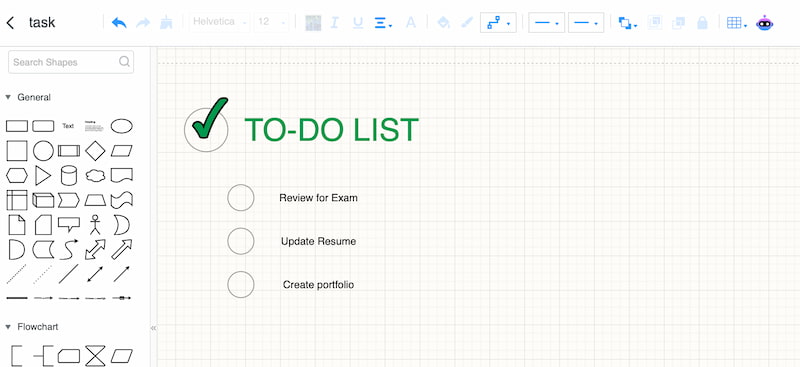
Task and To-Do List Management
Most of the main features of these productivity apps are their ability to help users manage steps, set priorities, and track the progress of their tasks. In addition, they also help users in breaking larger projects into smaller and manageable tasks (This can also be understanded as work breakdown structure). All of these help with ADHD to be less overwhelmed and make it easier to complete their task.
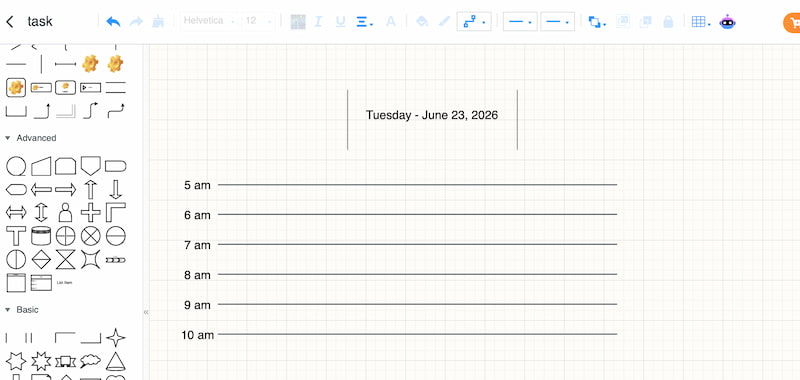
Time Management Tools
The second common feature is a time management tool. Most of the tools have a timer, reminders, and calendars that help users be more effective with their time. This can reduce procrastination and help them stay on track for their upcoming deadlines.
Distraction Reduction
Most of the application also offers a distraction blocker and customizable work sessions based on the Pomodoro method. It is a way for applications to encourage users to stay on task as they minimize interruptions.
Part 4: Best ADHD Apps for Adults
Choosing the right app depends on your planning style, budget, and organizational needs. Some apps are designed to support ADHD-friendly routines, while others provide general productivity tools. The following comparison covers their prices, platforms, key features, and ideal users to help you find the right fit.
| App | Price | Platforms | Best For | ADHD-Friendly Features |
| Tiimo | Free plan available; paid Pro plan with regional pricing | iOS, Android, Web, and selected Apple devices | Adults with ADHD who benefit from visual schedules and structured routines | Visual timelines, reminders, focus timers, customizable routines, and AI-assisted task planning |
| Structured | Free plan available; optional Pro subscription | iOS, Android, Web, with desktop availability varying by platform | People who prefer a visual daily timeline | Time-blocked schedules, recurring tasks, calendar integration, and notifications |
| Todoist | Free plan available; paid Pro plan | Web, Windows, macOS, Linux, iOS, Android | Students and professionals who need a straightforward task manager | Due dates, reminders, priorities, subtasks, and list or board views |
| Notion | Free plan available; paid plans for additional features | Web, Windows, macOS, iOS, Android | Users who want to combine notes, tasks, calendars, and project information | Customizable planners, task databases, calendar views, and linked information |
| MindOnMap | Free plan available; paid plans offer additional features | Web, Windows, macOS | Visual learners who want to map out tasks and complex projects | Mind maps, flowcharts, visual task breakdowns, and planning diagrams |
Note
Prices, features, and platform availability may change. Check each app's official website for current subscription details. Team-size recommendations should reflect your actual workflow: Tiimo and Structured are primarily suited to individual planning, while Todoist and Notion also support collaborative work.
Tiimo: Visual Planning and Routine Building
Best for: Adults with ADHD who benefit from visual schedules, reminders, and structured daily routines.
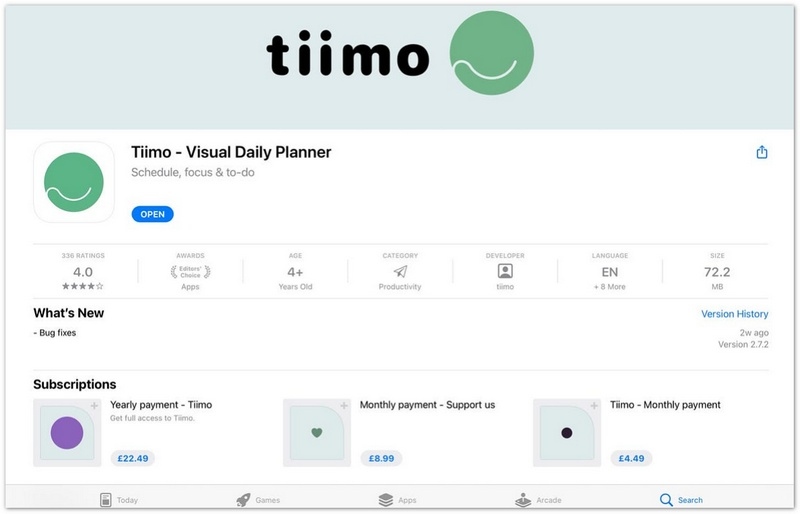
Tiimo is designed to make daily planning more visual and manageable. Its timeline-based approach helps users see upcoming activities and organize routines without relying entirely on traditional to-do lists.
Key Features
- • Visual timelines for daily activities.
- • Reminders and customizable routines.
- • Focus tools and time-management support.
- • AI-assisted planning features, depending on the current plan.
Price: Free plan available; paid subscription options.
Platforms: iOS, Android, and supported web or Apple-device experiences.
Structured: Visual Daily Planner
Best for: People who want to organize their day using a clear, time-based schedule.
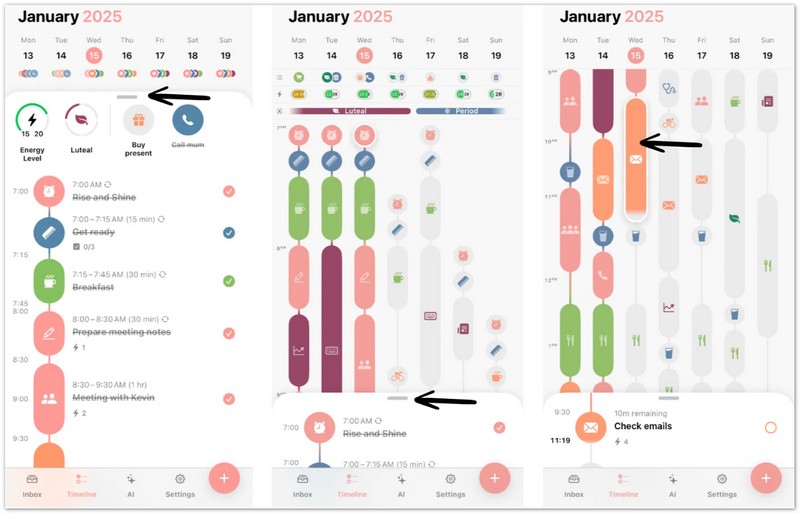
Structured brings tasks and calendar events into a visual timeline, helping users understand what they need to do and when to do it.
Key Features
- • Visual daily timelines.
- • Recurring tasks and scheduled activities.
- • Calendar integration.
- • Notifications and planning options.
Price: Free plan available; optional Pro subscription.
Platforms: iOS, Android, and Web; desktop availability may vary.
Todoist: Simple Task Management
Best for: Students and professionals who need an easy way to track tasks and deadlines, individually or with a small team.
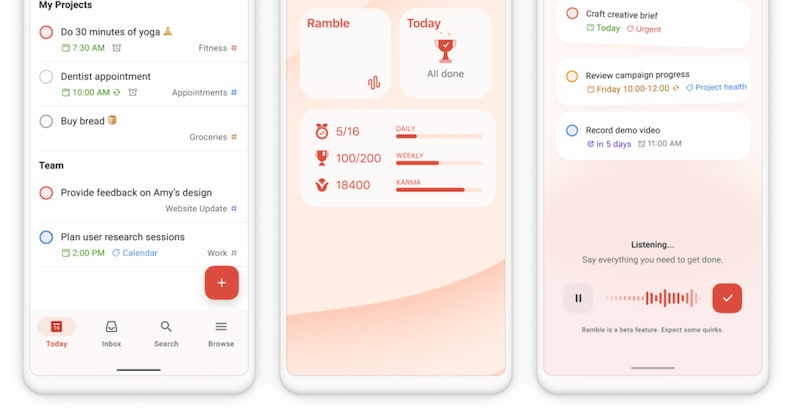
Todoist provides a structured way to capture tasks, set priorities, and organize projects. Its straightforward interface can help users keep responsibilities visible and reduce the chance of forgetting important tasks.
Key Features
- • Tasks with due dates and reminders.
- • Priority levels and subtasks.
- • Project organization with labels and filters.
- • List and board views.
Price: Free plan available; paid Pro plan.
Platforms: Web, Windows, macOS, Linux, iOS, and Android.
Notion: All-in-One Organization
Best for: Users who want to manage notes, tasks, calendars, and project information in one workspace.
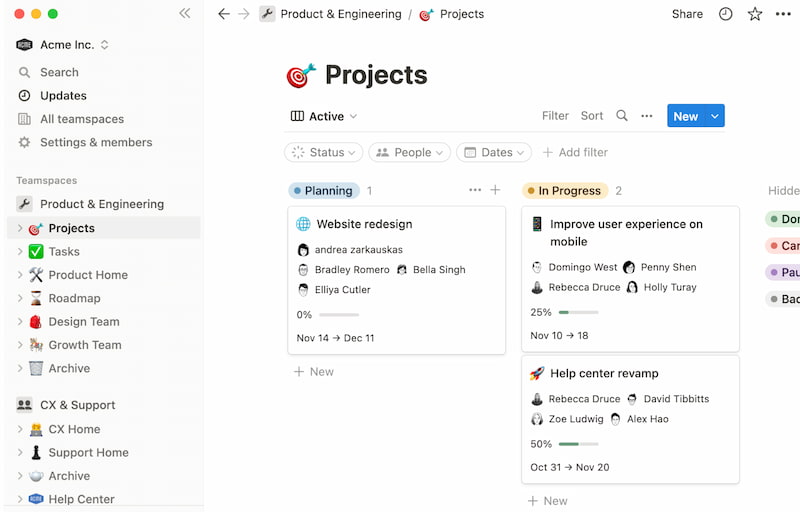
Notion offers customizable pages and databases, allowing users to build a personal planning system or collaborate with teammates. However, its flexibility can require more setup than a dedicated daily planner.
Key Features
- • Notes, tasks, and databases in one workspace.
- • Customizable planners and dashboards.
- • Calendar-based organization.
- • Collaboration features.
Price: Free plan available; paid plans offer additional features.
Platforms: Web, Windows, macOS, iOS, and Android.
MindOnMap: Visual Planning Aid
Best for: Visual learners who want to break complicated tasks into smaller steps and understand how ideas connect.
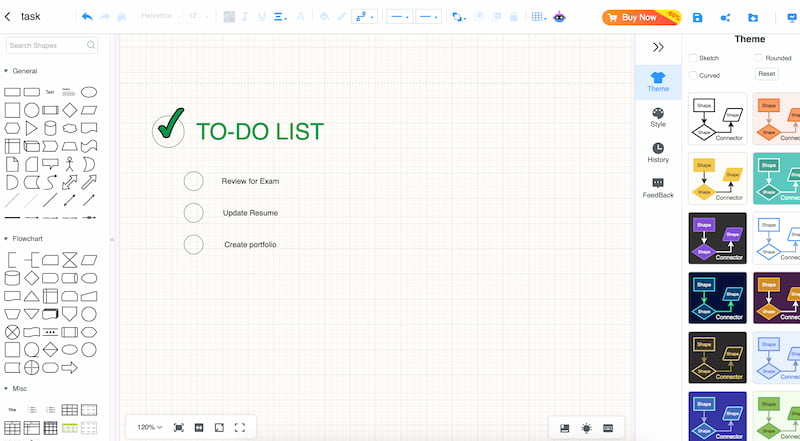
Unlike Tiimo and Structured, MindOnMap is a general-purpose visual planning tool rather than an ADHD-specific app. It can complement a dedicated planner by helping users map out projects, organize ideas, and visualize the steps required to complete a task.
Key Features
- • Create mind maps and flowcharts.
- • Break large projects into smaller tasks.
- • Show relationships between ideas and responsibilities.
- • Customize visual planning diagrams.
Secure Download
Secure Download
Price: Free plan available; paid plans offer additional features.
Platforms: Web, Windows, and macOS.
These apps can support organization, time management, and daily routines, but they do not replace professional assessment or treatment for ADHD.
Part 5: How to Choose the Right ADHD App
Being someone diagnosed with ADHD, it is important to choose the right tool to help you with your tasks. In line with that, here are the key considerations you can have to choose the best app for you.
Ease of Use
Some applications are complicated, which can add to your stress. Choose the app with a clean interface and simple navigation.
Available Customization Options
You need to choose the app that allows you to adjust and lay out some visuals in accordance with your preference. In fact, it is highly suggested to choose the app that lets you do the whole thing. Creating your own to-do list and calendar can help stimulate your brain.
FAQs about Apps for ADHD
Are ADHD apps better than traditional planners and calendars?
Using a digital app can help you reduce decision fatigue because some applications have automated reminders and help you break tasks with ease. Yet, some adults with ADHD can benefit from analog tools like paper and reduce screen distraction.
Can ADHD apps help with time-blindness?
Some applications offer a visual container and icon-based planning. These features can help you prevent overcommitment. Thus, if you are having difficulty with time-blindness, then you must look at these features.
Are free ADHD apps effective, or do I need to pay for a subscription?
Free applications like MindOnMap are effective even with their free version. They offer everything you need in managing your productivity without the stress of paying for a subscription. Yet if you need advanced features, the paid subscription will be worth it for you.
Conclusion
We can now conclude that apps for ADHD are helpful to stay focused, manage time properly, and be effective with everything that we need to do. Indeed, ADHD is fine and controllable when it comes to doing the task we need to accomplish. Good thing, tools like MindOnMapo, Todoist, and Notion are here to help with their amazing features.