Best App for Daily Plans Reviews: Tested and Reviewed
Having to work with a lot of tasks and responsibilities is overwhelming. Therefore, we need to optimize our daily time records to maintain productivity and effectiveness in anything that we are doing. The good thing is, we are here to help you because in this article we will present to you the top five daily planner apps that you can use to manage your time properly. Allow us to present to you the features they offer and their capability in helping you. Read this article now and waste no time with these tools. Check them one by one here.

Top 1: MindOnMap
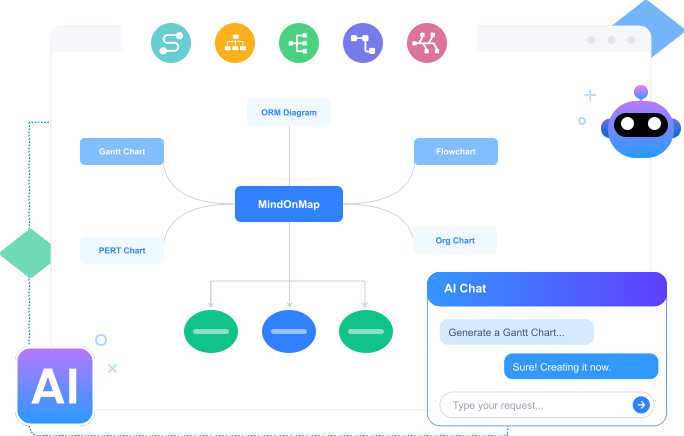
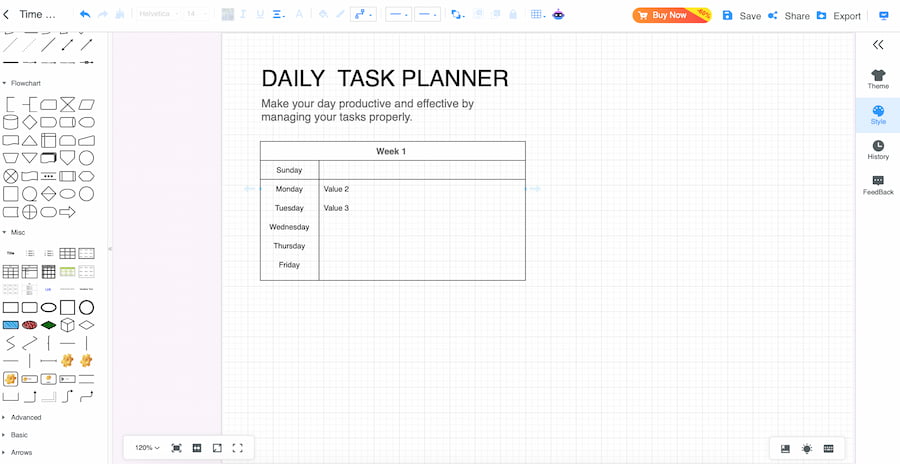
We shall start with the best of the best. MindOnMap topped the list for being a great daily planner and a list tool you can use. That is because this mapping tool offers a wide range of elements that we can use in designing our planner with great aesthetics. In this tool, you can organize every task you need to accomplish and complete. MindOnMap offers wide options for the maps you need to create, with wide support for different elements such as shapes, text, icons, arrows, tables, and more. In addition, it has great options for themes, making your planner aesthetic and visually appealing. Importantly, the tool is integrated with AI technology, helping us create and design planners with ease and a smooth process. Check out more key features it possesses:
Key Features
- • It offers various mind maps for daily planners.
- • Wide elements and features.
- • Ease and smooth design process of designing.
- • Save in different file formats.
- • AI technology integrations.
PROS
- Accessible for software and online usage.
- The free version offers many features.
- Not complicated to use.
CONS
- Full versions come with subscriptions.
Verdict
MindOnMap is suitable for users who love to have an everyday planner app with ease of use. It has a free version which offers everything you need to have a decent and amazing daily planner.
Top 2: Motion
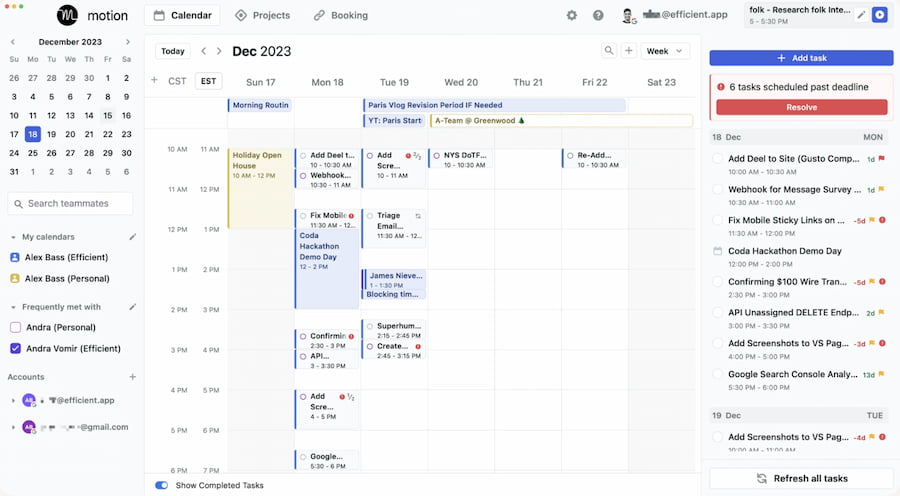
The second tool is called Motion. It is an AI-powered daily planner that can give you an automatic process of scheduling tasks, meetings, and prioritizing your calendar. The tool can help you reduce decision fatigue by dynamically adjusting your schedule, especially when conflicts arise. More than that, the tool is simply designed for professionals who need to stay focused on high-value work while minimizing manual planning.
Key Features
- • AI-driven task integration.
- • Automatic rescheduling.
- • Calendar and task manager integration.
- • Priority-based planner.
PROS
- Saves time by automatically planning.
- Reduces stress from manual planning.
- Smart prioritization of tasks.
CONS
- Learning curve for new users.
- Subscription cost may be high.
- Less flexible for casual use.
- Limited offline functionality.
Verdict
Motion is ideal for professionals who want AI technology to handle their daily planning process. This tool is a powerful productivity tool for structured workdays, making it easy for everyone to finish task management with ease.
Top 3: Sunsama
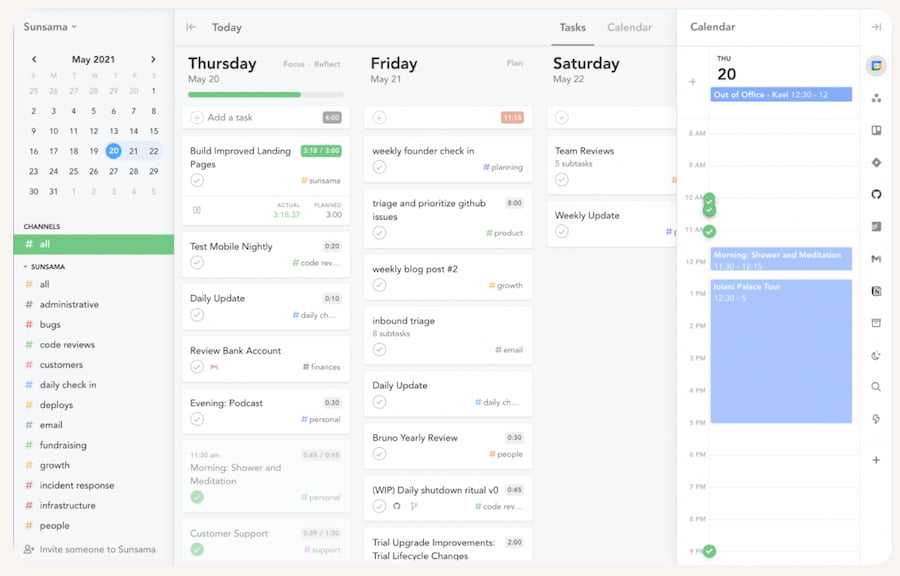
Sunsama is our top three in the list because of its great features when it comes to daily planning. This tool emphasizes mindful productivity because it helps users plan tasks across multiple apps, encouraging balance and focus. The tool simply integrates tools like Trello, Asana, and Slack, making it perfect for those who want structure without overwhelm.
Key Features
- • Guided daily planning ritual and tool integration.
- • Focus on a work-life balance experience.
- • Task import from multiple platforms.
- • It possesses weekly review tools.
PROS
- It encourages users to have mindful work habits.
- Smooth integrations for tools.
- Balanced approach to productivity
- Easy to use
- Great for remote teams
CONS
- Subscription-based pricing.
- Less automation compared with other tools.
- It feels slow for fast-paced users.
- Limited customization features.
Verdict
Sunsama is best for users who value intentional planning and balance. It is also good for offering a calm and structured way to manage daily tasks. Thus, if you are a beginner in planning tasks, then this might help you venture about scheduling apps.
Top 4: Google Calendar
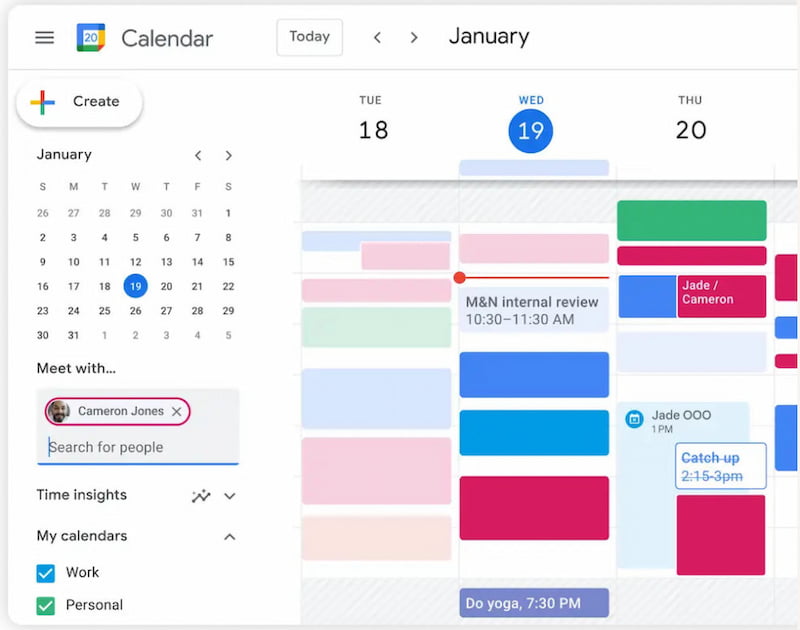
Next on the list is Google Calendar as our top four for the app that schedules our daily tasks. This tool is a widely used free planner which is integrated seamlessly with Gmail and other Google services. Using this tool allows you to schedule events, set reminders, and share calendars with ease. You can expect a simple and accessible tool. These features make it a go-to option for individuals and teams worldwide. The fact that it is under Google means it is something you can trust to manage your daily tasks and do task analysis.
Key Features
- • Free and widely accessible for every user.
- • Event scheduling and reminder features.
- • Calendar sharing and collaboration for better teamwork.
- • Integration with Google Workspace.
PROS
- Easy to set up a calendar.
- Strong collaboration features.
- Works across devices.
CONS
- Limited advanced task management.
- It is a basic tool compared to specialized planners.
- Lacks AI-driven scheduling.
Verdict
Google Calendar is a suitable choice for basic scheduling and collaboration. This is a great choice for users who want simplicity and accessibility only. Yet, if you need advance tool, then the other options might be better for you.
Top 5: Notion
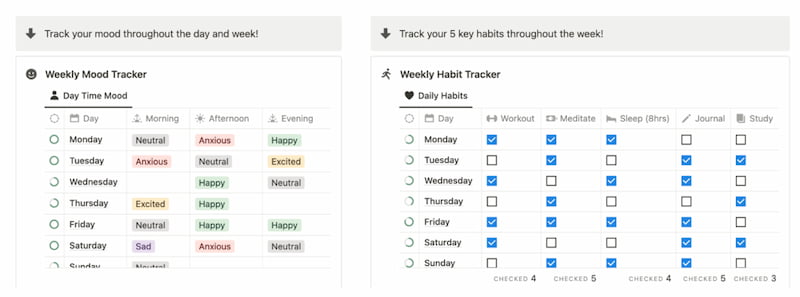
Moving forward with our fifth place. This is Notion, which is known to be an all-in-one workspace that combines notes, tasks, databases, and calendars. This tool has flexible features that allow users to easily build customized daily planners tailored to their workflow. More than that, this tool offers great templates and integrations. That is why it is popular among creatives, teams, and productivity enthusiasts who want more than just a calendar.
Key Features
- • It has a customizable workspace.
- • Task and project management feature available.
- • Calendar and timeline views are offered.
- • Rich templates and integrations in the tool.
- • Collaboration tools for the team.
PROS
- Highly customizable features and elements.
- Combines multiple tools in one.
- Great for team collaboration and individual work.
- Strong community support for issues and improvements.
- Flexible layouts for templates.
CONS
- Steeper learning curve with its features.
- Can feel overwhelming for beginners.
- Requires a long setup time.
- Offline mode is limited.
- Expensive subscription for its full version.
Verdict
Notion is perfect for users who want a customizable planner that doubles as a workspace. It is indeed a tool that offers flexibility beyond traditional scheduling tools. Yet, you need to be skilled with it first before using it effectively.
FAQs
What Is a Daily Planner App?
A daily planner app is a digital tool that helps you organize tasks, schedule events, set reminders, and manage your time throughout the day. Some planner apps also offer features such as task prioritization, calendar integration, and AI-powered scheduling.
Can I Use a Daily Planner App for Work and Personal Tasks?
Yes. Many daily planner apps can manage both professional and personal tasks. You can use them to organize meetings, projects, errands, appointments, habits, and other activities in one place.
Can a Daily Planner App Help Reduce Stress?
A daily planner app can help reduce the stress associated with managing multiple tasks by putting schedules, deadlines, and priorities in one organized system. Features such as reminders and automatic scheduling can further reduce the amount of manual planning required.
Conclusion
We can now say that daily planner apps are helpful whether we are students, professionals, or just a simple citizen. It helps to be more productive in everything that we do, ensuring accomplishing tasks with ease and lessening the stress in the decision-making process. Thus, if you are looking for recommendations on what planner you can use, then MindOnMap is recommended by many users because of its all-in-one capability to offer a great daily planner app. You can now use it and discover more of the features it offers for free.