ChatGPT Mind Map: Testing Its Ability To Generate Maps
People say that ChatGPT is unstoppable because of its continuous improvement to provide information for people on the internet. It is more than a chatbot now since it is now capable of generating AI images and creating ChatGPT mind maps. That is why in this post we will discover all of the details you need in order to know how ChatGPT can create mind maps with ease. In addition, we will also give you a great alternative tool to it. Let us start reading this article to know every information we prepared for you.

- Part 1. How ChatGPT Helps Create Mind Maps
- Part 2: Step-by-Step Guide to Creating a Mind Map with ChatGPT
- Part 3: ChatGPT Mind Map Alternative: MindOnMap
- FAQs about ChatGPT Mind Map
Part 1. How ChatGPT Helps Create Mind Maps
Mind maps are a very useful medium, especially when we need to organize thoughts, clarify ideas, and enhance creativity. For that, ChatGPT is now helping users generate fresh concepts, structure them logically, and expand content with meaningful details with ease. Here are some points on how ChatGPT can help us create mind maps.
Idea Generation
The first aspect is that ChatGPT can easily assist us in generating ideas. This is done by giving us diverse perspectives and brainstorming prompts. What is important in this feature is the ability to provide related keywords, synonyms, and thematic connections. With that, this can easily broaden the scope of our central concept. This was made possible by suggesting angles from cultural, historical, or technical viewpoints. Overall, ChatGPT ensures that you can explore beyond the initial idea.
Structure Organization
After the given ideas, it is time now to organize the ideas into a clear structure. This is essential for effective mind mapping. Organizing ideas can help us arrange concepts into main branches and sub-branches that have a logical flow and easy navigation. This is where grouping related ideas and highlighting cause-effect or problem-solution relationships will take place. Most importantly, ChatGPT creates a coherent framework with the ideas.
Content Expansion
With the two points above, we have already built the foundation of our mind map. Thus, we can now expand each branch with detailed explanations. ChatGPT, it can allow us to add depth by providing definitions, case studies, practical scenarios, or any details that can strengthen the content.
Part 2: Step-by-Step Guide to Creating a Mind Map with ChatGPT
After we read details about how ChatGPT can create mind maps with ease, let us now see the guide we prepare for you to follow in order to make the process. We will give you the step-by-step guide; read them all below:
The first thing we need to do is to choose your Central Topic. You can start with a specific subject you want to discover. For example, Digital Marketing. Then you must share this topic with ChatGPT so that you can set the foundation.
Let us now proceed by arranging ideas as we turn them into logical categories. Some of the things you can do here are to group related concepts together or identify main branches and sub-branches.
Let us now expand our concept by adding depth using ChatGPT’s help. In this matter, you can request examples, definitions, or applications for each branch. Also, adding supporting facts or case studies will help us.
Finally, we can now polish the content and transfer it into a diagram. From here, you can now use a mind mapping tool such as MindOnMap to help you input and organize the structure for a visual map.
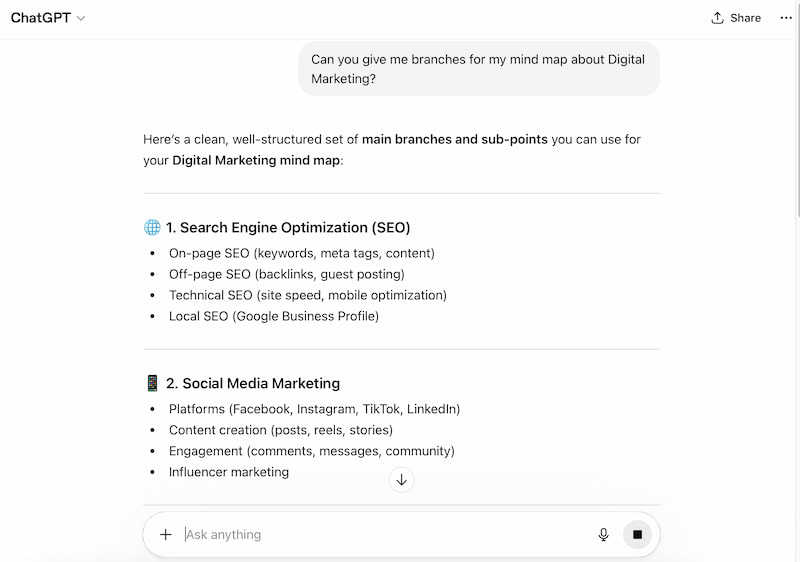
Note: ChatGPT can generate a visual mind map and use all the details it gave. However, it might take some time to create since generating an image in ChatGPT can take some time. Also, another disadvantage here is that once the mind map is created, customizing it in line with your preference is not allowed unless generated again. Therefore, using a mapping tool is recommended, such as MindOnMap.
Part 3: ChatGPT Mind Map Alternative: MindOnMap
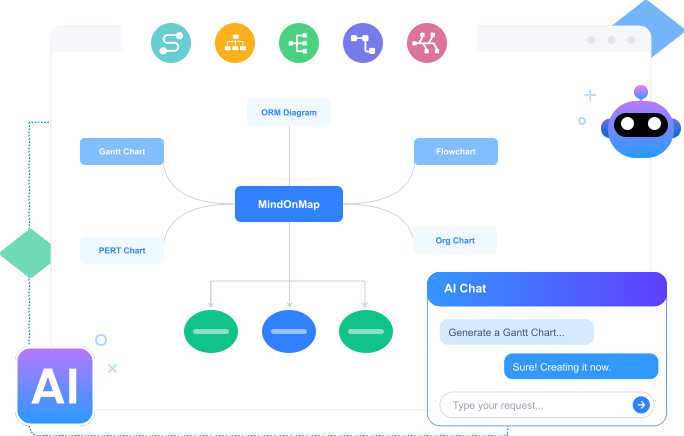
We all see the capability of ChatGPT in terms of generating and organizing ideas for the mind map you are creating. We also saw the flaws it can offer when it comes to generating visual maps with the details it gave. Therefore, if you need a mapping tool that can help you create a visual mind map using AI and is still customizable, then MindOnMap is here to help you. This tool can help users whether it is for a manual process or an AI process of mapping, but what is important is its ability to customize the result, whatever mode you choose. Let us now see its great capabilities and how we can use it and prove why it is a better option compared to MindOnMap.
How to Use MindOnMap
Access MindOnMap on your desktop by clicking the Free Download buttons below. You can also use the MindOnMap online version.
Secure Download
Secure Download
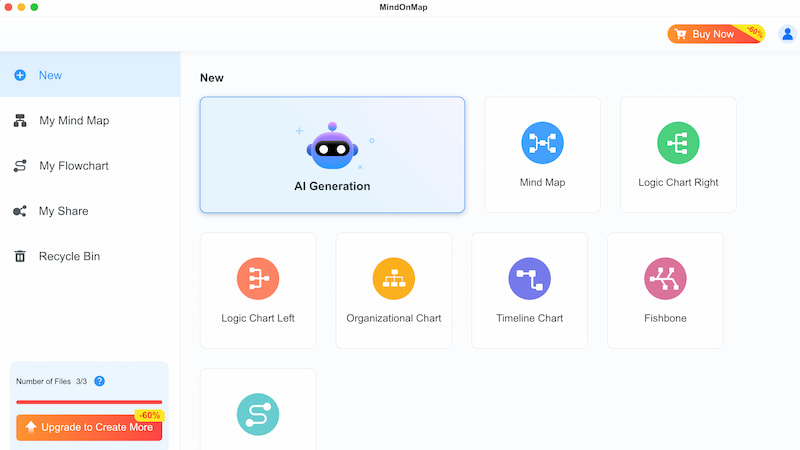
Access the tool’s main interface and, among the options, choose AI Generation. This can help you create mind maps with ease.
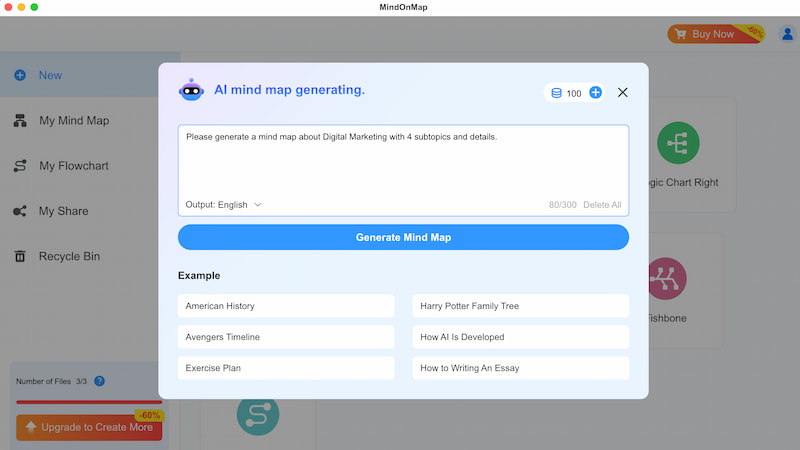
It is time now to type your prompt and ask MindOnMap’s AI to create a mind map for you with the topic you prefer. After that, click the Generate Mind Map button to proceed.
Wait for a while then your mind map will be ready. Also, customizing and editing the map is possible. But once you are done, click the Export button and save the map with the file format you choose.
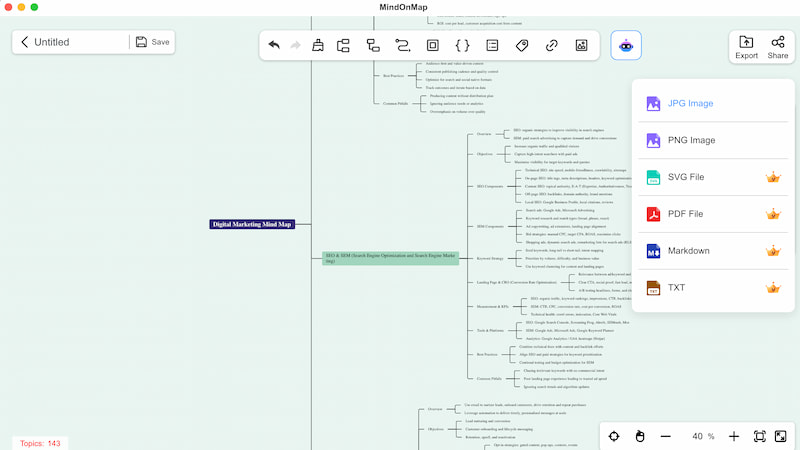
There you have it, the ability of MindOnMap to create a mind map for you with ease. A straightforward generating process with a customizable outcome. It is very fast and effective to use for free.
Pros of Using MindOnMap
- • Easy installation on your device at no cost.
- • You can quickly create mind maps from prompts you added.
- • Easy to edit and adjust maps if you need.
- • It has a flexible feature for different workflows.
- • You can save maps in preferred file formats.
FAQs about ChatGPT MindMap
Can ChatGPT create mind maps directly?
ChatGPT can generate ideas, organize them, and expand content. It can also help users create outlines and explore different mind map examples for inspiration. However, when it comes to visual map generation, we can expect that it is limited and less customizable than dedicated tools designed specifically for creating detailed and flexible mind maps.
What are the pros of ChatGPT in mind mapping?
ChatGPT can excel at brainstorming ideas, structuring them logically, and expanding each branch with explanations. Its weakness is creating visual and customizable aspects.
Why use MindOnMap as an alternative to ChatGPT?
As we can see above, the tools of MindOnMap are a combination of AI generation with manual editing. Compared to ChatGPT, it allows us to customize the nodes, styles, and layouts. In addition, in MindOnMap, you can easily export maps in multiple formats.
Conclusion
We can now conclude that ChatGPT is a great help whenever we want to generate ideas for our mind map. With the help of ChatGPT mind map ideas, users can quickly organize thoughts, brainstorm topics, and create structured outlines. However, turning these ideas into a visual map using ChatGPT alone might be a bit of a hassle and time-consuming. Fortunately, MindOnMap is dedicated to doing both: generating ideas and directly creating a visual map for you with ease. That is why you can now use it for free to simplify the process and make mind mapping more effective.