Graphic Organizers for All Students: Grasp Ideas with Ease
As a student, you will need to study a tremendous number of topics, ideas, and contexts. Along the way, you will encounter complex topics that can overwhelm you. The good news is that different kinds of graphic organizers can streamline the process of learning overwhelming topics. That is why, in this article, we will elaborate on their definitions, benefits, and how to use the visual materials effectively in your study. We'll also give you a great tool to help you create your own organizer with ease.

- Part 1: What Are Graphic Organizers for Students
- Part 2: Benefits of Graphic Organizers for Learning
- Part 3: Popular Types of Graphic Organizers
- Part 4: How Students Use Graphic Organizers Effectively
- Part 5: Project Charter Tools and Models: Which One Fits Your Team
- Part 6: Use MindOnMap for Study Organization
- FAQs about Graphic Organizers for Students
Quick Answer: Graphic organizers for students are visual tools that organize information, connect ideas, and simplify complex topics. Common types include mind maps, story maps, sequence charts, and T-charts. They help students improve comprehension, develop critical thinking, and remember key information. Choosing the right organizer for each task makes studying, note-taking, and writing more effective.
Part 1: What Are Graphic Organizers for Students
Graphic organizers for students are visual tools that can help learners engage in a visible thinking process. This visual material can easily help you compare, contrast, and connect ideas more effectively. In simple terms, graphic organizers are diagrams or charts that structure information and promote concrete thinking.
Part 2: Benefits of Graphic Organizers for Learning
Using graphic organizers in your studies offers various benefits. Here are three common benefits you can gain. In brief, these include improving comprehension, enhancing critical thinking, and supporting memory retention among learners.
Improving Comprehension
Graphic organizers can help you, as a student, understand main ideas and supporting details with ease. They do this by visually breaking down complex information into simpler terms
Enhancing Critical Thinking
These visual materials can encourage students to analyze, connect, and contrast concepts. This can provide a deeper understanding rather than rote memorization.
Supporting Memory Retention
With this visual structure, students can recall information more easily during discussions, writing sessions, or examinations. This approach alone can lead to strong long-term learning outcomes for students.
Part 3: Popular Types of Graphic Organizers
After learning their definition and benefits, we will now explore different graphic organizers for students. Today, you can use various organizers, including hybrid versions of everything. Yet, Mind Maps, Story Maps, Sequence Maps, and T-charts remain original and are commonly used to this day. Check these examples below:
Mind Maps
First on the list is the mind map. This graphic organizer branches out different ideas from the central concept. This makes it easy to show connections between topics. It's also an excellent choice for brainstorming, planning topics, and navigating complex subjects.
Story Maps
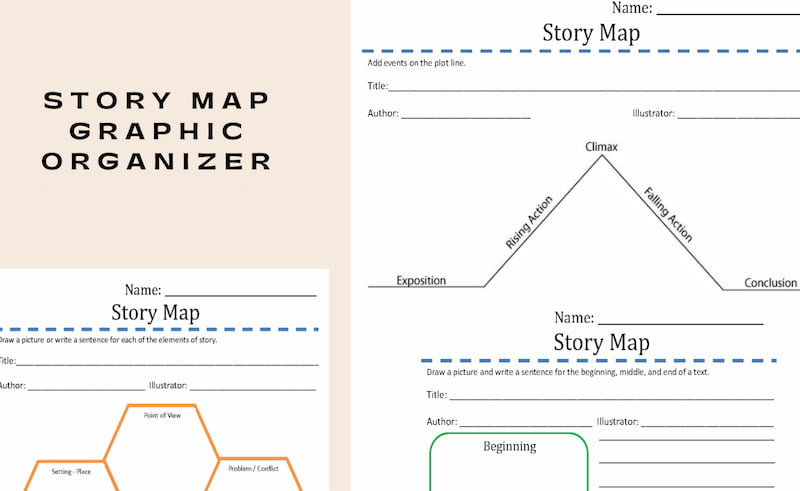
Story maps are also a common type of organizer for students. Here, you can easily break down narratives into the characters, settings, conflict, and denouement. They help learners analyze literature or a storyline. More than that, you can also use this story plot diagram for planning your own writing endeavor.
Sequence Charts
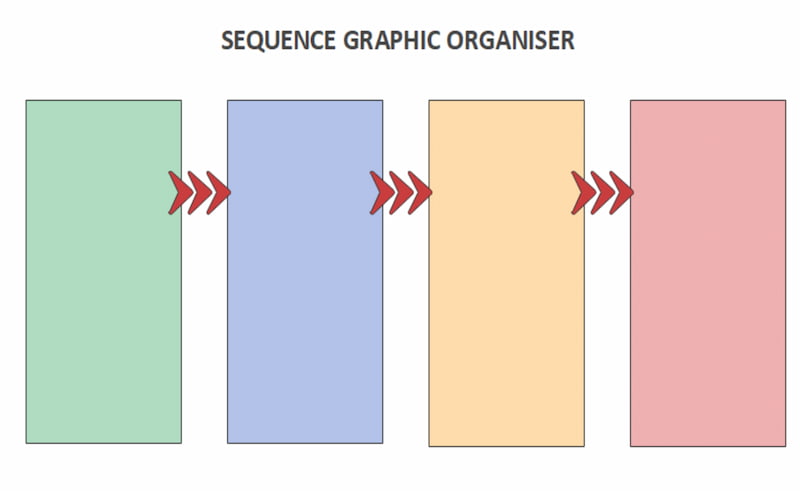
In addition, we have sequence charts, a type of graphic organizer for events or a guide for steps and processes. This is commonly used for science experiments, timelines of historical events, and understanding cause and effect in a process.
T-Charts
T-charts are organizers that divide information into two columns. This way can help you easily compare the pros/cons, causes/effects, facts/opinions, and other categorical topics that can be divided into two sub-contexts.

Graphic Organizer Types: Best Grades and Subjects
| Graphic Organizer | Best For Grade | Best For Subject | Common Uses |
| Mind Maps | Grades 3–12 and college | Science, English, Social Studies | Brainstorming, connecting concepts, and reviewing topics |
| Story Maps | Grades K–8 | English Language Arts (ELA), Reading | Identifying characters, settings, conflicts, and plot events |
| Sequence Charts | Grades K–12 | Science, History, Math | Organizing steps, explaining processes, and arranging events chronologically |
| T-Charts | Grades 2–12 and college | English, Social Studies, Science | Comparing two ideas, weighing pros and cons, and distinguishing facts from opinions |
Tip: These grade ranges are general guidelines, not strict limits. Teachers and students can adapt each graphic organizer to the learner's reading level, subject, and learning objectives.
Part 4: How Students Use Graphic Organizers Effectively
We learned that graphic organizers help students in many ways. Yet we need to use them properly to maximize their benefits. In line with that, here are three points and tips you should know to use them effectively:
Using the Right Organizer for a Task
You must know which organizer to use for a specific task or topic you are studying. Misalignment between the organizer and the task can reduce its effectiveness.
Engage Actively
Use an organizer and fill it in with details yourself, rather than just copying or reviewing your teacher's prepared notes. Active participation gives us a deeper understanding and makes thinking visible with ease.
Review and Revise
You need to treat these organizers as living documents. So, update them as you learn new information. Be comfortable checking your mistakes and revising them accordingly.
Part 5: Project Charter Tools and Models: Which One Fits Your Team
The right project charter tool depends on your project complexity, collaboration needs, and team size. Here are several options for different users and teams.
| Tool or Model | Best For | Suitable Team Size |
| Microsoft Word / Excel | Students, beginners, and project managers who need a simple, customizable charter template | 1–5 people |
| Google Docs | Students and teams that need to draft, edit, and review a charter collaboratively | 2–10 people |
| Atlassian Confluence | Teams that need shared project documentation, clear responsibilities, and alignment across departments | 5–20+ people |
| Smartsheet | Project managers handling schedules, budgets, resources, and project documentation | 5–20+ people |
| MindOnMap | Visual learners, students, and teams that want to map project goals, scope, stakeholders, and relationships | 1–10 people |
How to Choose: If you are a student or working on a small project, Word, Google Docs, or MindOnMap may be sufficient. For teams that need ongoing collaboration and centralized documentation, Confluence is worth considering. Smartsheet is a better fit when project planning involves more detailed schedules, resources, and budgets.
Part 6: Use MindOnMap for Study Organization
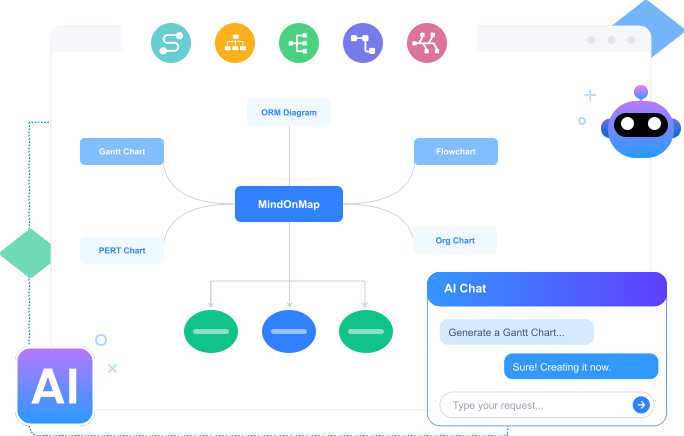
After knowing every detail you need to know about graphic organizers, it is now time to introduce you to a great tool that can easily help you create an organizer for free. MindOnMap offers a wide range of features that let you create a graphic organizer instantly. Here, you can use the shapes and elements to create your review materials, take notes, and even create a schedule checker for your assignments. Here are a few quick steps you can follow to use it:
Key Features
- • Wide elements, shapes, text fonts, and themes.
- • Various map types for your organizer.
- • Support for different file formats.
Get the amazing MindOnMap tool for free using the download button below, or visit their official website for more details.
Secure Download
Secure Download
Open the tool on your computer and access the Flowchart feature among the options. This can easily help you create your visual material with full control.
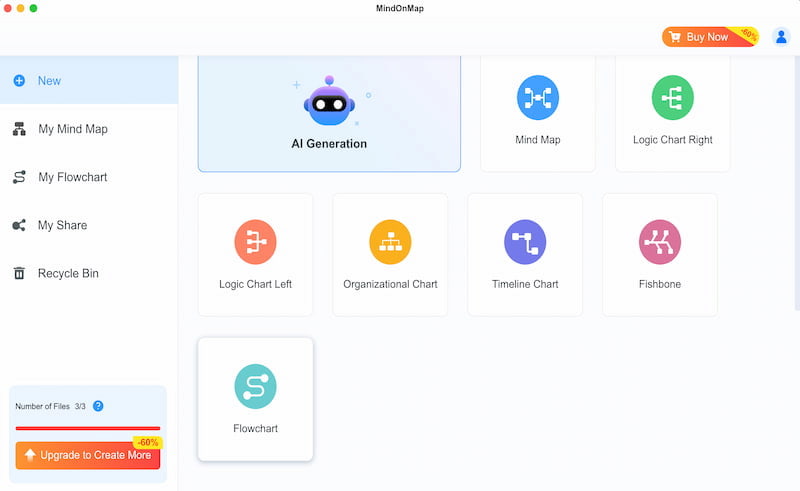
Now you can use different shapes and start laying out the organizer you need.
Now, add text for the information and details. Include the correct details to avoid misleading information.
You can now set the overall look of your organizer by using the Theme. Then click the Export button and save your organizer.
FAQs about Graphic Organizers for Students
Q: How can a graphic organizer help struggling students in reading?
A: Graphic organizers can easily help struggling students by breaking down the ideas into fewer words. That means that, through the visual, students can read much less text, making it easier to understand, even for struggling students.
Q: What organizer should I use to improve my writing skills?
A: You can use a T-chart or a mind map whenever you want to improve your writing skills in the field of argumentative essays.
Q: What mistakes should I avoid in creating an organizer?
A: You need to avoid filling in overwhelming details on it. Instead, fill it with details you've reflected on. Also, avoid choosing an organizer just because you love its aesthetic; match the type to the task you are doing.
Conclusion
Providing students with a graphic organizer is beneficial because it makes the study process easier. We also have MindOnMap nowadays, which offers fantastic features we can use to create our own organizer. The best thing is that it is free and student-friendly. Use it now.