
Mind Mapping for an Attorneys: Mind Maps in Legal Matters
We all know that legal work can be complex. Every case may involve multiple parties, extensive documentation, detailed facts, and competing legal arguments. Managing this information can quickly become overwhelming. Mind mapping offers a practical way to organize case details, visualize connections, and clarify key objectives. In this article, we will explore how attorneys can use mind maps to organize legal information and manage their cases more effectively.

- Part 1: What Is Mind Mapping for Attorneys
- Part 2: Why Attorneys Use Mind Maps
- Part 3: Common Uses of Mind Mapping in Legal Work
- Part 4: Legal Tools for Case Management, Research, and Visualization
- Part 5: Common Challenges Attorneys Face in Case Organization
- Part 6: Use MindOnMap to Organize Legal Cases Clearly
- FAQs about Mind Mapping for Attorneys
Quick Answer: Mind mapping for attorneys is a visual method for organizing case facts, evidence, witnesses, legal arguments, and deadlines. It helps lawyers identify connections between legal issues, prepare for trials, structure legal research, and communicate complex information to clients. Tools like MindOnMap can help attorneys create visual case maps and workflows.
Part 1: What Is Mind Mapping for Attorneys
Having a mind map means you have a thinking map, especially in managing your cases. This is a visual technique that helps attorneys in organizing complex legal data. Most of the time, this is the medium of seeing the connection among the facts, laws, and evidence they have. To make it clear, Mind Maps for attorneys always start with a central topic or issue that branches out to related sub-topics and points. Overall, this visual can make it easy for lawyers to analyze cases, draft presentations, and communicate with clients more clearly and efficiently.
Part 2: Why Attorneys Use Mind Maps
There are so many reasons why attorneys use mind maps in handling their cases. Yet, the most common reasons why they use it are the following:
- • Organizing complex details from cases logically.
- • Showcase a visual connection from facts to legal principles.
- • Enhance the clarity of their draft and create a clearer oral argument.
- • Reduce the confusion in multi-issue cases.
Part 3: Common Uses of Mind Mapping in Legal Work
We have seen some benefits of having a mind map in handling cases. Yet, here is a deeper explanation about its common use, especially in the aspect of legal works:
Case Preparation
The most common use among the options is for case preparation. Many attorneys are creating a map where they can include all of the information they need, such as facts, witnesses, evidence, and even legal arguments. It is their way to make it easier to identify their strengths and weaknesses. In addition, this is a great way to anticipate the opposing counsel’s strategy and prepare a coherent trial plan.
Legal Research Organization
Another reason why mind maps are useful for lawyers is that they are a great way to organize legal research. Having linear notes is stressful. Therefore, attorneys can use concept maps to illustrate connections between legal principles, statutes, precedents, and related arguments. This is a great way to identify the gap in research, recognize more clearly how different laws interact, and provide you with a structured overview of the complex doctrines.
Client Information Management
The third common use of a mind map for attorneys is for managing client information. Lawyers can now map out client details, communications, timelines, and obligations in a single visual map. A visual map can improve internal organization and help attorneys present complex legal matters to clients in a clearer, more accessible format.
Part 4. Legal Tools for Case Management, Research, and Visualization
Attorneys can use specialized legal software alongside mind mapping tools to manage cases, organize evidence, conduct legal research, and collaborate with colleagues. The right choice depends on the firm's size, workflow, and specific legal needs.
| Tool | Main Purpose | Best For | Recommended Team Size |
| Clio | Manages legal cases, client information, documents, deadlines, billing, and daily law firm operations. | Solo practitioners and law firms that need an integrated practice management system. | 1–50+ users |
| CaseMap | Organizes case facts, evidence, witnesses, timelines, and legal issues for litigation analysis. | Litigation attorneys and legal teams preparing complex cases. | 2–20 users |
| LexisNexis | Provides legal research resources, case law, statutes, and other legal information, depending on the product or subscription. | Attorneys, legal researchers, and law firms conducting in-depth legal research. | 1–50+ users |
| MindOnMap | Creates visual mind maps, flowcharts, case timelines, and diagrams to organize complex information. | Attorneys and legal teams that need a visual overview of case details and relationships. | 1–8 users |
How to Choose the Right Legal Tool
Choose Clio if you need to manage daily law firm operations, client records, and case deadlines in one system. CaseMap is more suitable for structuring evidence and analyzing facts in litigation. LexisNexis supports legal research and helps attorneys locate relevant legal authorities. MindOnMap can complement these tools by turning case information, research findings, and legal arguments into visual diagrams.
Before using any tool for confidential client information, review its security controls, access permissions, data storage policies, and applicable professional confidentiality requirements. Mind mapping software should support legal analysis rather than replace legal judgment or specialized case management and research systems.
Part 5: Common Challenges Attorneys Face in Case Organization
Attorneys often face challenges when organizing case information, particularly when dealing with large volumes of documents, overlapping legal issues, and complex client communications. Understanding these challenges can help legal professionals develop more effective strategies for managing case details.
Information Overload
This is the major challenge that attorneys are facing. As we all know, legal cases involve a lot of documents, statutes, statements, and evidence. Without a clear and structured system for this, attorneys can surely struggle to manage this high volume of information. This challenge can lead to overlooked connections. Creating a flowchart with clear flowchart templates can help legal teams break down complex procedures into clear, manageable steps.
Complex Issue Management
Many cases involve multiple overlapping legal issues, each with its own precedents and arguments. Keeping track of how these issues interact can be daunting, and traditional linear notes often fail to capture the full picture.
Challenges with Client Communication
Clients may not fully understand the intricacies of their case, and lawyers must find ways to present complex information in a clear, accessible format. Poor organization can make it harder to explain strategies or keep clients informed about progress.
Part 6: Use MindOnMap to Organize Legal Cases Clearly
We get to know the important details, such as what mind maps for attorneys are all about and their common uses. In this portion, we will get to know an amazing and effective tool that will help us in creating our mind maps for managing cases. MindOnMap is a great tool that offers every feature we need. Having a wide range of options for elements, great themes, a simple interface, and more helps users to create easily and effectively. All of these tools can help us create map case timelines, visualize evidence, arguments, and track legal tasks easily. Here is a simple guide on how we can use it:
Get MindOnMap for free on their official website to access the download buttons below.
Secure Download
Secure Download
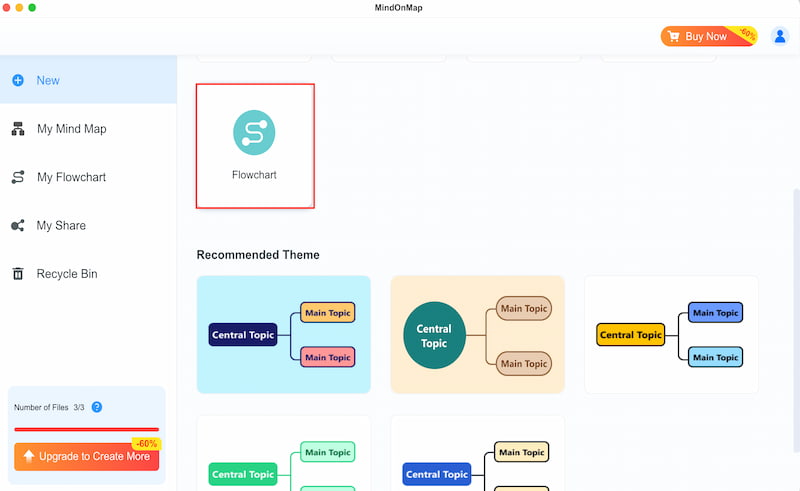
See the main interface of the tool and click the Flowchart feature. This will help you build a visual layout with ease.
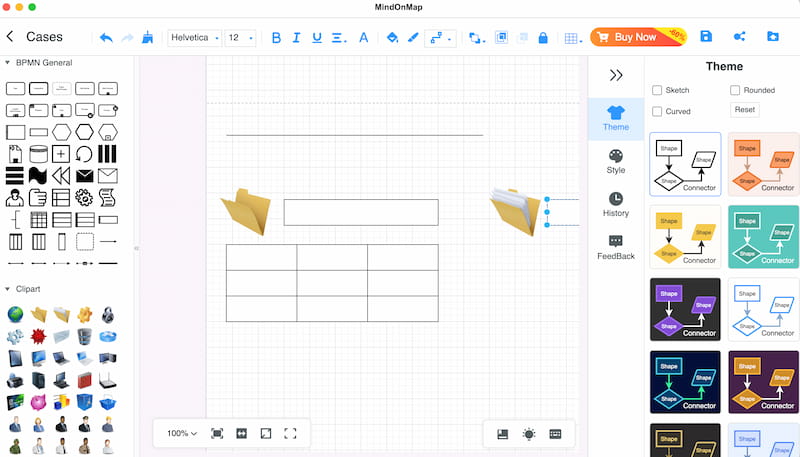
Create the layout of your map by using the Shapes elements. You can add as many as you need that will represent the details you need to put in.
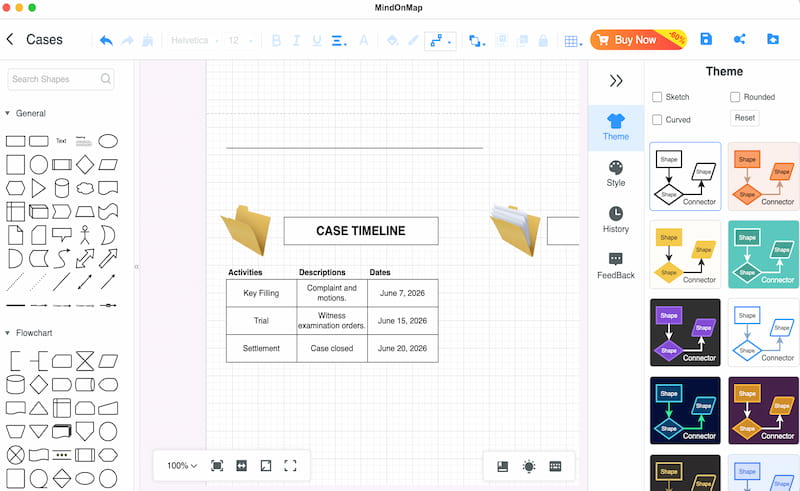
Now, click the Text feature and use it to add all of the details you need for your timeline, evidence, arguments, legal task, and deadline details. Ensure that every detail is properly placed and undergoes fact checks.
After that, select the Theme of your map to set it to overlook it. Finally, click the Export button and save the map.
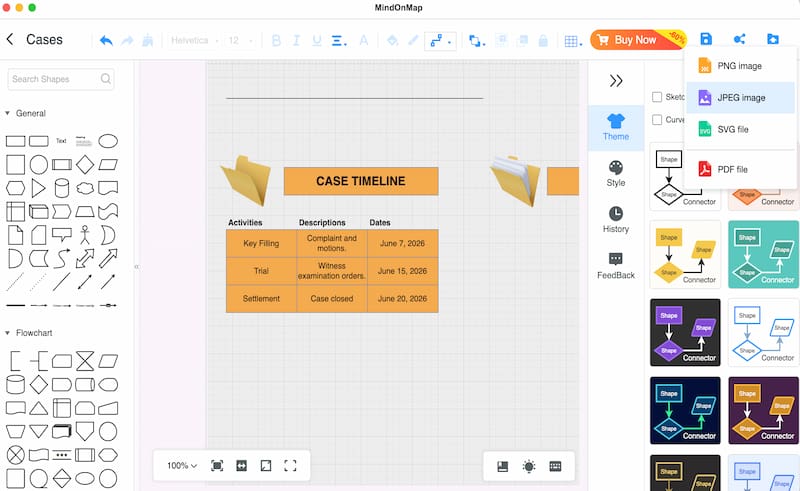
We can now see how MindMaps can easily create mind maps for attorneys. Its wide features are really effective to use and useful for having a clear visual chart of the information that we need.
FAQs about Mind Mapping for Attorneys
Q: Does mind mapping help us improve case preparations?
A: Yes. Because it allows attorneys to have a visual breakdown of facts, witnesses, evidence, and legal issues. This makes it easier for them to spot the strengths and weaknesses of their class.
Q: Is mind mapping effective for managing my client information?
A: Yes. This can help you easily track the client details and deadlines all in one, with a visual structure. Overall, this can help attorneys have clearer communication with the clients.
Q: Is there a risk in using mind map tools for legal work?
A: Yes. Some tools oversimplified the complex cases using cloud-based features. Attorneys must ensure that their tools are secured and careful in managing the details of their cases.
Q: What challenges do mind maps help attorneys to overcome?
A: The reduction of information overload. Using mind maps can help us clarify overlapping issues and concerns, improve communication tactics, and present all of the data properly with clarity.
Conclusion
In conclusion, piled-up documents for cases will now be easily managed using the mind maps for attorneys. We need to lessen the stress with details so that we can think properly in managing these legal actions and the world. Good thing, we have MindOnMap that offers an effective way to create your map easily. Plus, a secure way to process all of the details you put in. Use it now.