Best Project Management Tools for Teams [Top Picks 2026]
Want to explore the best Project Management platforms? Well, these tools can help the team to streamline collaboration, organize tasks, and deliver projects in an efficient manner. With the right platform, a business can track progress, handle resources, and ensure that deadlines are met without any problem. So, if you want to discover the best project management tool you can access, start reading everything in this post.

- Part 1. Benefits of Using Project Management Tools
- Part 2. How to Select the Right Project Management Software
- Part 3. Top 3 Project Management Software
- Part 4. FAQs about Best Project Management Software
Part 1. Benefits of Using Project Management Tools
The best project management tools can offer various benefits to the teams. Some of them are:
Enhanced Organization
The tools allow you to organize all the tasks, schedules, and resources in one platform. It makes it easier to keep the projects structured and clean. By reducing scattered data, teams can instantly access what they need and stay aligned.
Improved Collaboration
The good thing about the project management tools is that they let teams share records/updates, files, and feedback in real-time. It fosters great communication and ensures that each member is on the same page, regardless of location.
Better Resource Allocation
The tools offer visibility into workloads and resource usage. It can help managers assign the task to the member fairly. It prevents burnout and ensures that the resources are utilized optimally.
Efficient Time Management
Project management tools can offer various helpful features, such as reminders, timelines, and progress tracking. With these features, teams can prioritize tasks effectively. It also ensures that projects can move forward without any issues.
Risk Reduction
By monitoring progress and determining bottlenecks early, project management software can help mitigate potential issues. With that, the team can address risks proactively before they escalate into bigger problems.
Performance Tracking
Reporting and built-in analytics features let managers measure productivity and project success. These insights support continuous improvement and smarter decision-making.
Part 2. How to Select the Right Project Management Software
Come to this section and learn a clear and structured guide on how to choose great project management software.
Identify Your Team's Needs
When choosing the right tool, you have to start by listing all the specific challenges your team faces. These can include task tracking, remote collaboration, and resource allocation. This ensures that you can select the right tool for managing your projects.
Evaluate Key Features
You also need to evaluate all the features the tool can offer. It would be better if they could provide necessary functions, like scheduling, task management, reporting, and integrations with other tools. Giving attention to the features can help you get more insights into whether the tool is worth choosing.
Consider Ease of Use
It would be better if you choose a tool that can offer an intuitive user interface. This way, each member can operate the software without encountering any problems. Always take note that complicated software can only slow down progress.
Review Pricing and Value
When choosing the best project management tool, you can compare the subscription costs against the features offered. This is to ensure that the tool fits your budget. You can always look for a flexible plan that can balance affordability with functionality.
Part 3. Top 3 Project Management Software
Want the best project management platform? Then, read this section as we introduce all the tools you can use for managing your projects.
1. MindOnMap
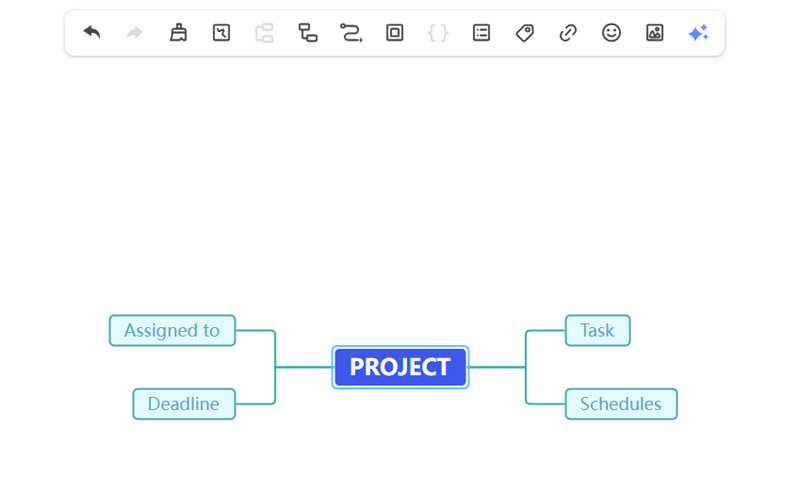
Best for: Ideal for visual thinkers and teams that need to visualize projects in a clear, well-structured format.
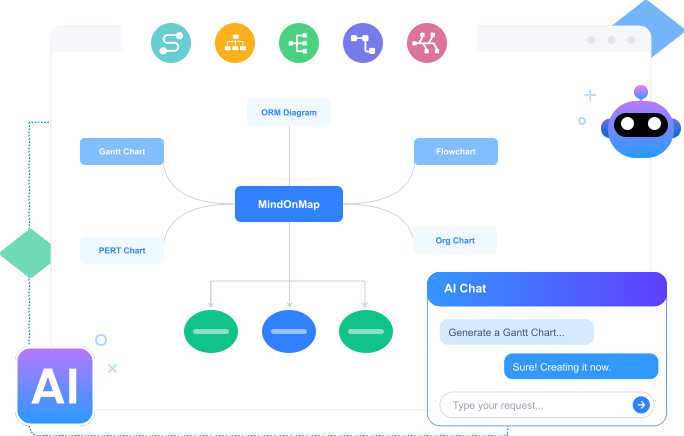
Among the best project management platforms you can rely on is MindOnMap. This tool is a mind mapping tool that can help your team arrange ideas, tasks, and workflows. The best part here is that the tool can break down complex projects into clear, interconnected nodes, making it easier to see the big picture. What's more, MindOnMap has an intuitive user interface, which is suitable for beginners who want to brainstorm, structure project phases, and track dependencies. You can even access various templates you can use to create an appealing output. Lastly, you can save your structured diagram to various formats, including PDF, JPG, PNG, SVG, DOCX, and more.
Secure Download
Secure Download
2. Trello
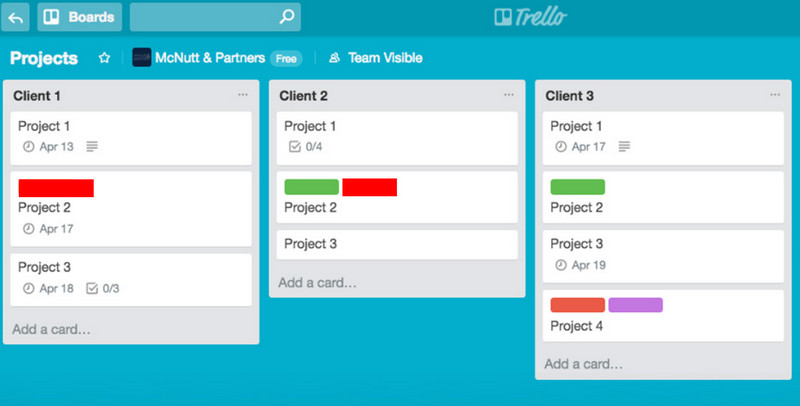
Best for: Perfect for teams who prefer a straightforward, visual task management system with flexible personalization.
Do you want a cloud-based project management platform? In that case, you can try Trello. It is also a Kanban-based task management tool that is capable of organizing tasks into lists, boards, and cards. The tool also provides a simple drag-and-drop interface for monitoring progress, assigning responsibilities, and handling workflows. The layout is even comprehensive, allowing you to navigate all the functions without encountering any issues. Aside from that, it can integrate with other apps, making it flexible for various team sizes and industries.
3. Asana
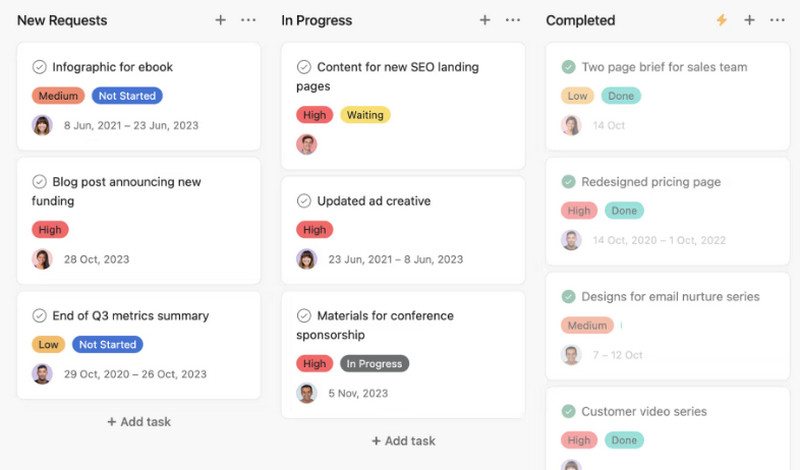
Best for: Good for teams who need robust workflow tracking and scalability for complex projects.
If you want project management software for IT teams, look no further than Asana. It is widely considered a powerful tool for IT teams, particularly when it comes to handling requests, workflows, and cross-functional cooperation. Plus, it is an effective collaboration platform for managing tasks, projects, and team workflows. To improve communication and guarantee that deadlines are fulfilled, it provides tools including timelines, dashboards, and automation. Lastly, Asana may be used by both small and large teams, thanks to its great scalability.
Best Project Management Software: Comparison
| MindOnMap | Trello | Asana | |
| Core Approach | Visual mind mapping and project planning | Kanban-based task management | Workflow and task tracking with advanced features |
| Ease of Use | Intuitive for visual thinkers with simple drag-and-drop | Very easy to use and beginner-friendly | Slightly steeper learning curve, but polished UI |
| Collaboration Features | Limited team collaboration compared to others | Strong collaboration with boards, lists, and cards | Robust collaboration with timelines, dashboards, and automation |
| Scalability | Moderate and best for small to mid-sized teams | Scales well with integrations and add-ons | Highly scalable and suitable for enterprises |
Part 4. FAQs about Best Project Management Software
Project management is the process of planning, executing, and tracking team tasks and resources to achieve specific goals within set constraints.
Why should businesses use project management software?
Project management tools can streamline workflows, reduce miscommunication, and ensure that deadlines are met.
What features do you need when using a project management tool?
Some of the features you need are collaboration tools, task management, integrations, scalability, and reporting. These features ensure that you can handle/manage your projects properly.
Is using a cloud-based project management tool ideal?
Definitely, yes. Using a cloud-based tool can let you access it anytime and anywhere. They are actually helpful for remote and distributed teams that require real-time updates.
Conclusion
With these project management platforms, you can effectively and smoothly manage your projects. You can even track and schedule tasks, assign tasks to a certain member, and more. You even learned the benefits of the software and how to choose the best tool for managing tasks. Plus, if you want a simple tool that can help you visualize your project, access MindOnMap. This tool ensures that you can collaborate with your team and organize all the information based on your preferences, making it ideal.