Free Meeting Minutes Notes Template and Guide to Create
Minutes of meetings are essential in obtaining every important detail that has been discussed in the meeting. It is a process of ensuring you do not miss a single detail so that you can do your task or project in accordance with the details provided. In this article, we will guide you on how to create meeting minutes with the best tool and understand more about its definition and why it matters. As a bonus, we will also give you templates and examples so that it will be easy for you to start yours.

- Part 1: What Are Meeting Minutes and Why They Matter
- Part 2: Key Elements of Effective Meeting Minutes
- Part 3: Meeting Minutes Templates and Examples
- Part 4: How to Write Effective Meeting Minutes
- Part 5: Use MindOnMap to Organize Meeting Notes Clearly
- FAQs about Meeting Minutes Templates with Guide
Quick Answer: Meeting minutes are a written record of a meeting's key discussions, decisions, attendees, and action items. To create effective minutes, prepare an agenda, record important outcomes, assign responsibilities and deadlines, and share the document promptly. A template or tool like MindOnMap can help organize meeting notes clearly.
Part 1: What Are Meeting Minutes and Why They Matter
Meeting Minutes
As we define Meeting Minutes, this is the official written record of the meeting that you had. It is a way of capturing the key details like the attendance, the topics discussed, the insights from people, tasks assigned, and more. Overall, Meeting Minutes exist to provide us with a clear and accurate overview or summary of the discussion and things that happened in the meeting. This is an effective way to relay the information for people who did not attend or as a review point for people present at the meeting.
Importance of Teams’ Communication
Having meeting minutes is really important because it gives us a clear record and helps the team stay connected and aligned with the goals. Here are some points why meeting minutes are important:
- • Alignment: It can reduce confusion among the team and the organization.
- • Accountability: Documentation of any decision made, and see who is accountable for each task.
- • Efficiency: It can prevent repetitive topic discussions.
- • Tracking of Progress: You can track the actions that are already completed or follow-up projects.
Part 2: Key Elements of Effective Meeting Minutes
In creating meeting minutes, there are four important elements that you need to include: Agenda, Attendees, Decisions, and Action Items. These elements will complete your file and allow you to be effective. Here are deeper explanations for each key element:
Agenda
The agenda element includes a list of the topics and objectives for which the meeting exists. This element also brings focus and a clear structure to the meeting.
Before the meeting begins, create a meeting agenda template to outline discussion topics, objectives, and time allocations.
Attendees
The attendees section records who attended the meeting, who was absent, and which relevant stakeholders were present.
Decisions
This is where you add the conclusions, resolutions, and agreements from the team. This can ensure that everyone understands the outcomes and things they agreed on.
Action items
A list of tasks together with the people who are assigned to them. This is also where you can see the further actions that need to be done after the meetings.
Part 3: Meeting Minutes Templates and Examples
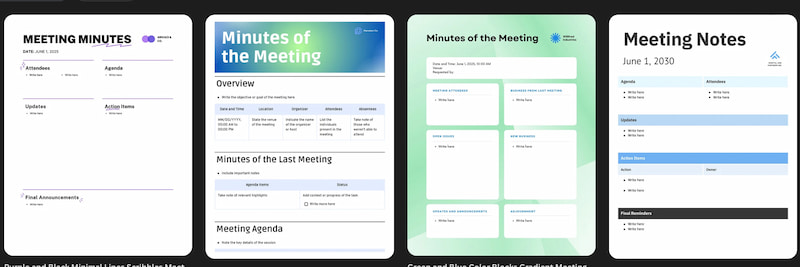
Let us now see the templates you can use and examples you can draw inspiration from if you are about to create a minutes of the meeting document:
Simple Meeting Minutes
This is a basic structure most likely used for informal meetings. It is a straightforward format, adding the details such as the attendance, agenda, decision, and actions only.
Formal Meeting Minutes
A format for meeting minutes is essential in official meetings that require detailed documentation. Most of the time, this is the best meeting minutes format whenever there are legal records.
Committee Meeting Minutes
From the name itself, this is used by the committees as they track actions, responsibilities, discussions, and more.
Meeting Minutes Templates Compared
| Template | Best For | Key Fields | Recommended Format | Download URL |
| Simple Meeting Minutes | Informal team meetings, quick check‑ins, and brainstorming sessions | Meeting date, attendees, agenda, key points, decisions, action items | Google Docs or Word for quick editing; PDF for sharing | https://www.vertex42.com/WordTemplates/meeting-minutes.html |
| Formal Meeting Minutes | Board meetings, executive meetings, and official business meetings | Meeting title, date, time, location, attendees, motions, resolutions, voting results, action items, approval status | Word or Google Docs for editing; PDF for finalized records | https://www.smartsheet.com/free-meeting-minutes-templates-microsoft-word |
| Committee Meeting Minutes | School committees, nonprofit boards, and project steering committees | Committee name, chairperson, members present or absent, agenda items, reports, decisions, assigned responsibilities, deadlines, next meeting | Word or Google Docs for collaborative editing; PDF for archiving | https://getquietnote.com/templates/committee-meeting-minutes |
| Project Meeting Minutes | Cross‑functional project updates, sprint reviews, milestone tracking meetings | Project name, meeting objective, attendees with roles, agenda, project status, risks & blockers, decisions, action items, next meeting | Word / Smartsheet for real‑time updates; PDF for project archive | https://www.smartsheet.com/free-meeting-minutes-templates-microsoft-word |
| Detailed Meeting Minutes | Complex multi‑topic meetings requiring thorough documentation of presenters and time allocations | Meeting objective, facilitator, note‑taker, attendees, agenda items, presenters, allocated time, decisions, action items, supplementary notes | Word or Google Docs for table‑based editing; PDF for distribution | https://www.vertex42.com/WordTemplates/meeting-minutes.html |
Tip: Choose a simple template for routine discussions, a formal template when decisions and voting records matter, and a committee template when multiple members, reports, and follow-up actions need to be tracked.
Part 4: How to Write Effective Meeting Minutes
If you are an assistant or an executive, most commonly, you are assigned to write meeting minutes. Therefore, here are some tips you can use to write it effectively:
Prepare ahead of Time
You can review all of the agendas and objectives that are commonly presented in the meeting’s description box. The act of knowing the focus of the meeting will help you understand the discussion even more.
Use Template
We have many templates above that you can use for your meeting minutes. Using a template saves time on formatting and lets you focus on listening, recording key decisions, and capturing action items.
Capture What Matters
You need to filter the information from the meeting. Take notes of the important details and let go of the things that are not necessary. This can prevent you from being overwhelmed.
Clarify Details Real-time
Ask questions during meetings if you misheard or misunderstood the details. Do not quote word-for-word information to make the minutes easy to understand and concise.
Share with the Team Quickly
Finalize the minutes right after the meeting and send them to the team. This will allow them to review it properly and double-check the details.
Part 5: Use MindOnMap to Organize Meeting Notes Clearly
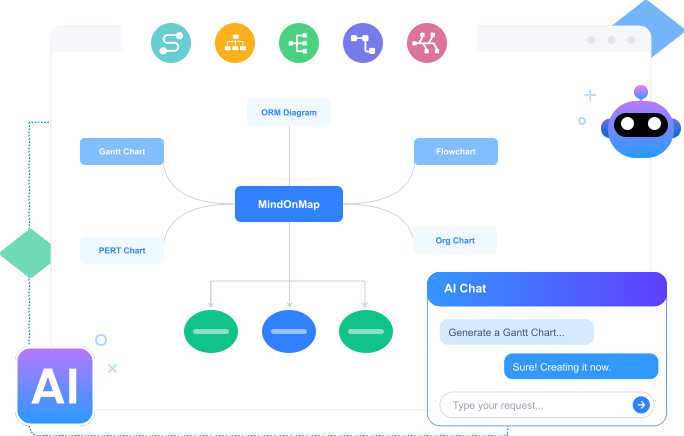
After knowing all of the details you need to know about the meeting minutes, let us know how to create one using the best tool of MindOnMap. This tool is a mapping tool that allows you to create different visuals and maps to present the details from your meeting. It allows users to have visually presentable meeting minutes to help the team understand them quickly. That became possible because MindOnMap offers versatile and various features like elements, shapes, text, themes, and more. Here are the simple steps you can follow to use it:
Get MindOnMap from its official website and install it on your computer.
Secure Download
Secure Download
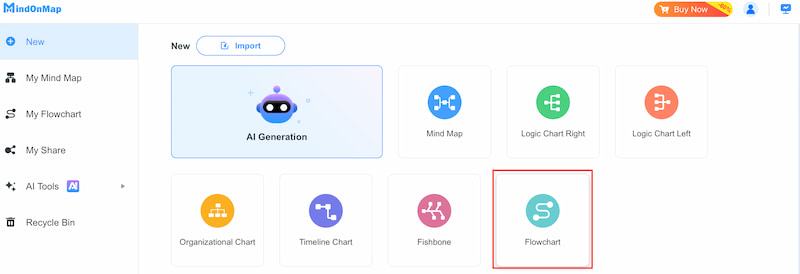
After that, open the tool and access the Flowchart feature. This will make the process of creating meeting minutes easy.
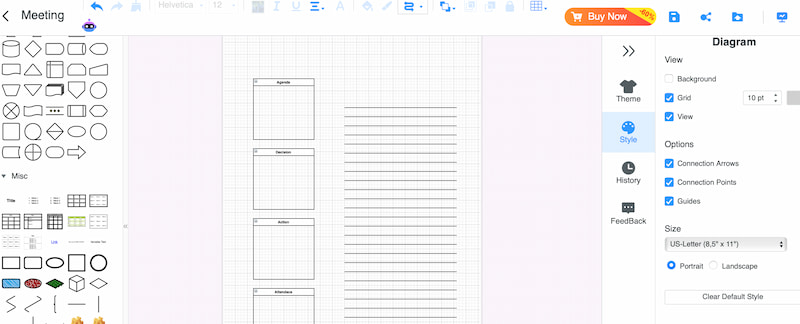
Add Shapes and organize them based on the layout you want. You can add shapes that will represent the key elements we discussed above like the agenda, attendees, actions, and more.
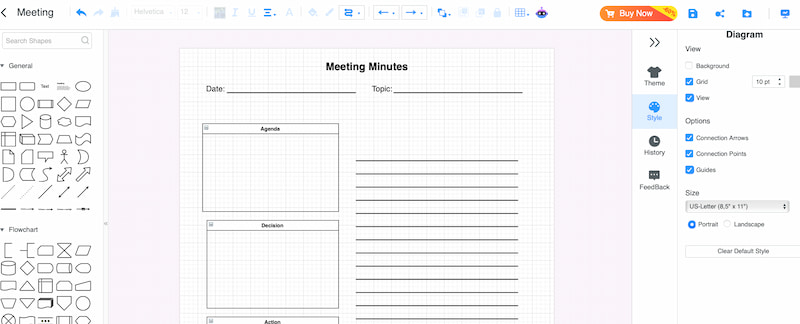
You can now add the Text for the details of the meetings.
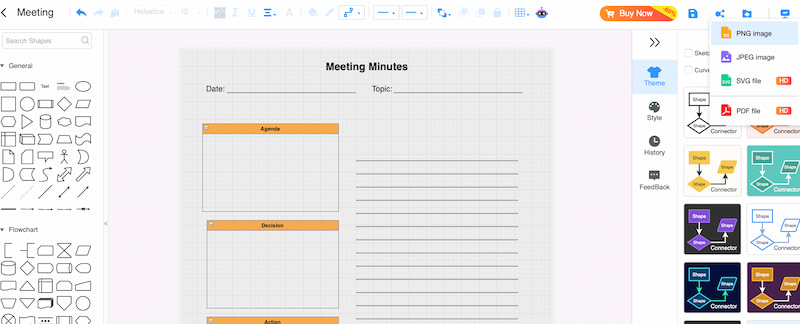
Set the Theme of your minutes and export it with the file format you need.
For meetings involving complex processes or multiple follow-up tasks, a workflow diagram can help visualize task sequences and clarify responsibilities.
FAQs about Meeting Minutes Templates with Guide
Are meeting minutes different from meeting notes?
Yes. Meeting minutes are a structured record of a meeting's key discussions, decisions, and action items, often used as an official reference. Meeting notes are usually more informal and may include personal observations, reminders, or additional details.
Who is assigned to create meeting minutes?
The person who needs to create the meeting minutes is mostly the secretary, assistant, executive, or any team member who is assigned by the boss.
When should the meeting minutes be distributed?
The meeting minutes should be distributed within 24 hours after the meeting. However, it is important to double-check everything before sending it to the team.
Conclusion
Having meeting minutes is essential in meetings, especially in fields that value details and progress. It is a medium that we can use to ensure proper communication and alignment with the whole team. Good thing, MindOnMap offers features to allow us to create meeting minutes with ease. It is free, so use it now.