What is a Decision-Making Model: Types and Challenges
What is a decision-making model? Well, it is a structured framework that guides individuals, organizations, or businesses in evaluating options and choosing the best course of action. This framework can even offer a systematic approach to analyzing potential problems, weighing alternatives, and predicting possible outcomes. In this post, we will provide more information on decision-making models, including their importance, types, and challenges. You will also learn how to use MindOnMap to improve the decision-making process, both offline and online.

- Part 1. What is a Decision-Making Model
- Part 2. Why Decision-Making Models Are Important
- Part 3. Common Types of a Decision Making Models
- Part 4. Common Challenges in Decision Making
- Part 5. Use MindOnMap to Improve Decision Making Process
- Part 6. FAQs about the Decision-Making Model
Part 1. What is a Decision-Making Model
A decision model is a structured process or approach that guides organizations, businesses, and individuals in making the best choice among alternatives. Plus, it helps break down complex problems into manageable, comprehensive steps, such as identifying the issue, evaluating potential solutions, and predicting possible outcomes. By following a model, decision-makers can minimize bias and enhance consistency in their choices. Lastly, these models offer a logical framework that supports clearer, more effective decision-making.
Part 2. Why Decision-Making Models are Important
Decision-making models are important because they provide a structured approach to complex choices, reduce uncertainty, and improve the quality of results. Plus, they help individuals and organizations avoid impulsive decisions and ensure that their options align with their values and objectives. To get more information on why decision-making models matter, see the simple explanation below.
- • Clarity and Structure – Decision models can break down problems into clear steps, making complex decisions simpler and easier to manage.
- • Consistency – Models ensure that decisions can follow a logical process, reducing bias and one’s own subjectivity.
- • Risk Reduction – By evaluating outcomes and alternatives, decision-making models can minimize potential mistakes or negative consequences.
- • Goal Alignment – The good thing about the model is that it can guide individuals and organizations to choose the best options that support organizational goals.
Part 3. Common Types of a Decision Making Models
Common types of decision-making models include the Rational Decision-Making Model, the Intuitive Decision-Making Model, and the SWOT Analysis Model. A decision-making flowchart can also help visualize the process and make complex choices easier to understand. If you want to learn more about these decision-making model examples, check the details below.
Rational Decision-Making Model
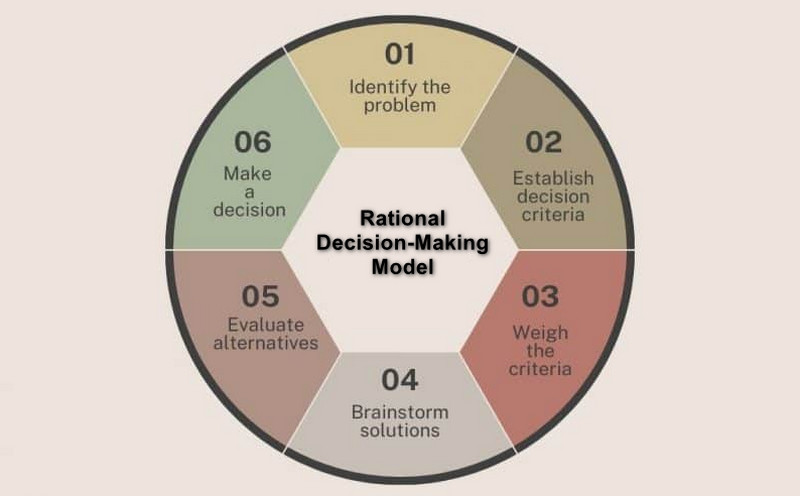
This model uses a logical, step-by-step approach. It is perfect for identifying problems, collecting data, and evaluating alternatives before choosing the best solution. It emphasizes objectivity and evidence-based reasoning. The main goal of this model is to minimize bias and ensure consistent decisions.
Intuitive Decision-Making Model
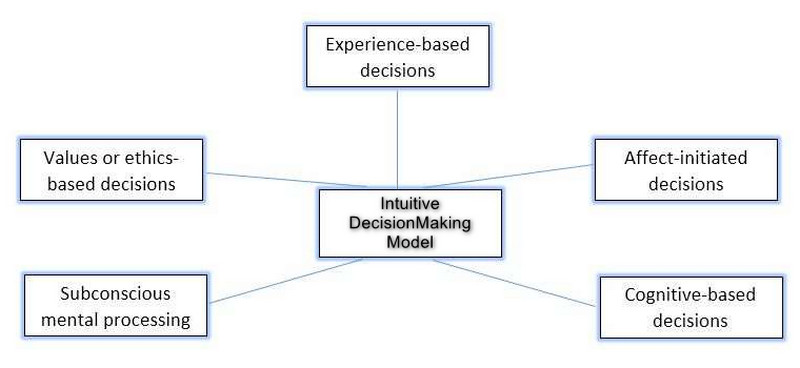
Another type of decision-making model is the Intuitive Decision-Making Model. It relies on instincts, experience, and gut feeling over structured analysis. This approach is often used when time is limited, or the decision-maker already has experience and expertise in the area. Compared to the Rational Decision-Making Model, it can be more subjective and prone to bias.
SWOT Analysis Model
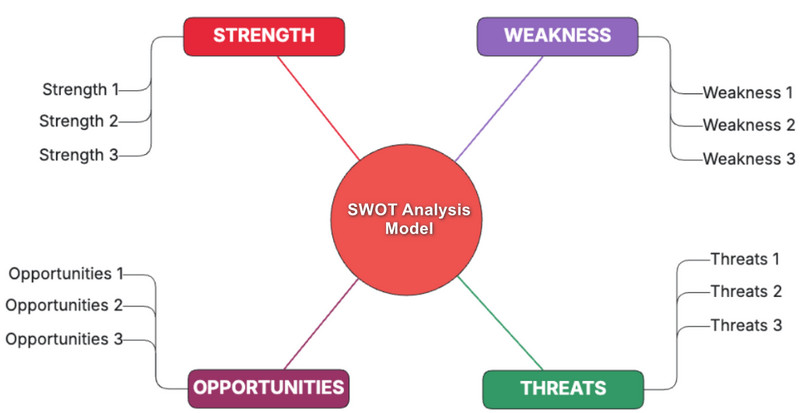
SWOT Analysis is among the most reliable models you can use in decision-making. It helps decision-makers evaluate decisions by analyzing four core factors. There are strengths, weaknesses, opportunities, and threats. It can even help to understand both internal capabilities and external challenges. By balancing these elements, individuals and organizations can make strategic choices that can maximize advantages and minimize risks or potential problems.
Part 4. Common Challenges in Decision Making
There are also some challenges you might encounter in decision-making. To explore some of them, you can read all the details in this section.
Information Overload
In decision-making, having too much information can be overwhelming to some decision-makers. It will make it challenging to identify what's really relevant and what to prioritize.
Time Pressure
Urgent situations and deadlines may force decision-makers to act in a rush, without adequate analysis.
Uncertainty
Limited knowledge of future outcomes often leads to hesitation or risk-taking choices. It would be better to continue searching and work with the team to gather more ideas to help achieve the desired goals.
Bias and Subjectivity
Personal preferences, cognitive biases, and emotions can affect the judgment and reduce objectivity. Always prioritize the goal itself over personal matters.
Conflicting Objectives
Different stakeholders or project managers may have competing interests. This can lead to conflict, making it hard to achieve the desired objective.
Lack of Resources
Limited manpower, budget, and technology can limit the range of possible options.
Part 5. Use MindOnMap to Improve Decision-Making Process
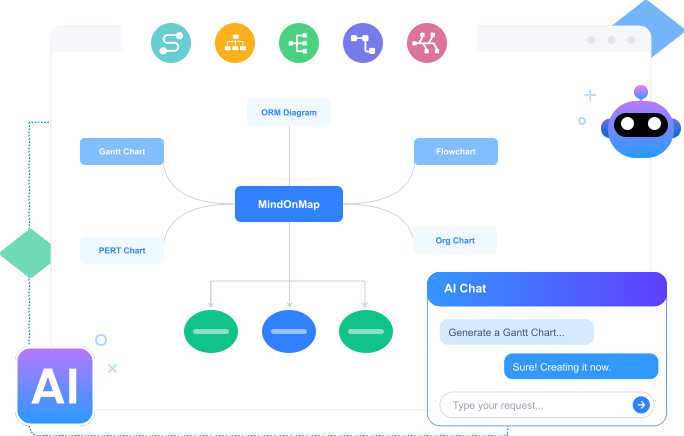
Do you want to improve the decision-making process by creating a structured, comprehensive visual representation? In that case, look no further than MindOnMap Flowchart Creator. With this tool, you can get the results you need, with features ranging from shapes and text to themes and colors. For more insights into what the tool can offer, see the details below.
- • Visualize Decision Options – the tool lets you map out various choices in a structured diagram, making complex decisions easier to view and comprehend.
- • Visualize Decision Options – the tool lets you map out various choices in a structured diagram, making complex decisions easier to view and comprehend.
- • Track Decision Outcomes – MindOnMap lets you record past decisions with the map, creating a reference point to get more ideas from successes and mistakes for future options.
If you want to use the tool to improve the decision-making process, see the steps below.
Step 1. Access MindOnMap in your browser. You can also tap the buttons below to use its offline version.
Secure Download
Secure Download
Step 2. Then, click the New section and choose the Flowchart feature. After the loading process, the main interface will appear.
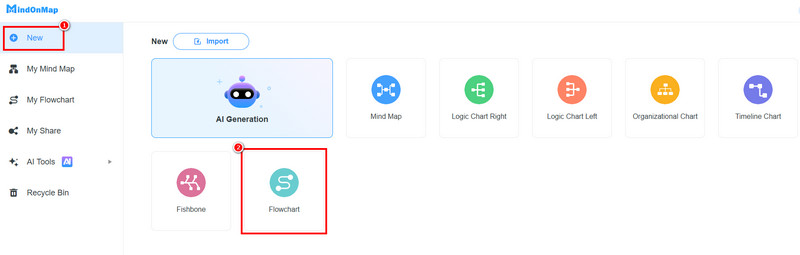
Step 3. You can start creating your chart for better decision-making. Go to the General section and choose your desired shapes. Then, double-click the shapes to insert text.
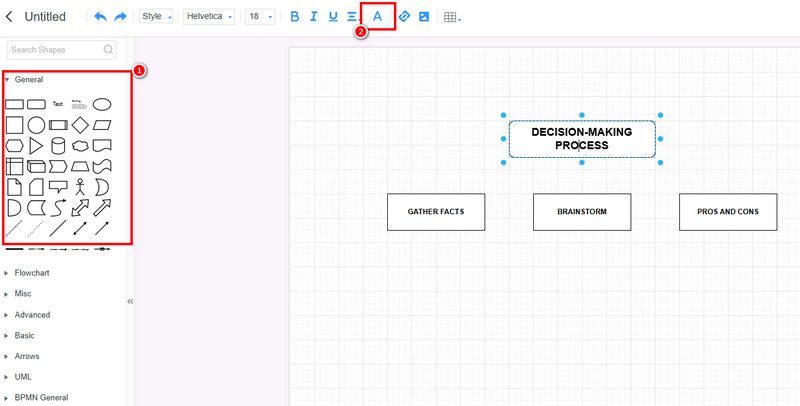
To add color to your structure, use the Font and Fill Color tools above.
Step 4. Once you are done creating the chart for decision-making, click the Save button to save it to your account.
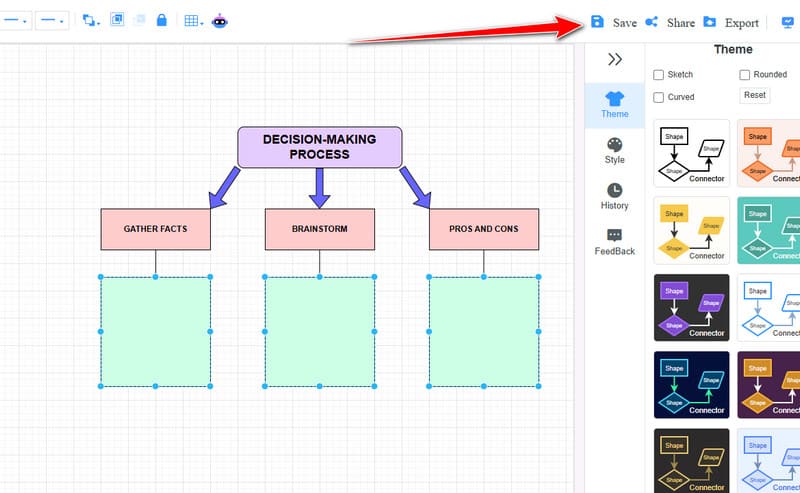
Click here to see the full decision-making chart designed by MindOnMap.
Part 6. FAQs about the Decision-Making Model
What is the Five-Step decision-making model?
This model is a structured procedure that helps organizations and individuals to make clear, effective, and logical choices. The steps are to identify the problem, gather information, evaluate options, make decisions, and implement and review the decisions.
Is there a decision-making framework template?
Absolutely, yes. There are various templates you can use, such as a decision tree template, a SWOT analysis template, a decision log template, and more. These templates are available on MindOnMap, Lucidchart, Microsoft Excel, and more.
Are decision-making models applicable to everyday life?
Definitely, yes. The models are helpful not only in businesses and organizations but also for personal decisions, such as career planning, budgeting, choosing what to cook, and more.
Conclusion
Decision-Making Models are ideal for helping individuals and organizations break complex problems into manageable steps. Thanks to this post, you have learned everything about it, including its types, challenges, and importance. You also discovered MindOnMap as an ideal tool for improving the decision-making process. Thus, for a better, well-structured visual representation, it would be best to access this tool right away.