Mermaid Mind Map Example, Usage, and an Alternative Tool [Detailed]
Are you a developer that works for a product team? Well, we all know that you have probably faced the common challenge of conveying complex ideas visually. Especially whenever there is a meeting and coordination planning? Most likely, this challenge exists whether we need to start mapping out a new feature, designing an architecture, planning a workflow. For these aspects we all know that clarity is key. That is why you decided to use a tool that can help you like Mermaid mind maps. This tool is known to be generous in offering elements that allow us to create maps using a simple, markdown-inspired syntax. In this article, we will get to know more about it, why we need to use it, and an alternative tool to use for an easy process of making a mind map. Discover more in this article as you start reading.

- Part 1. Why Use Mermaid for Mind Maps
- Part 2. Mermaid Mind Map Example
- Part 3. Draw a Mermaid Map with MindOnMap
Part 1. Why Use Mermaid for Mind Maps
Understand the definition, core advantages and main features of Mermaid mind maps clearly through the following content.
What is Mermaid Mind Map
Mermaid allows you to quickly turn your thoughts and ideas into clear and structured diagrams using plain text. With these methods, there will be no more dragging and dropping shapes endlessly to create a mind map. All you need to here is simply type out your diagram in Mermaid's syntax and you will have a clean professional with ease.
More than that, the Mermaid mind map tool is created and part of the Mermaid.js ecosystem. This is a text-based diagramming framework that allows users to create hierarchical, tree-like mind maps by the use of a simple Markdown-like syntax. This is most likely the reason why many developers are using this method of mapping. They just love using syntax and they are used to dealing with this kind of visual.
Key Aspect of Mermaid Diagram
- • Instant Text-to-diagram. You only need to write plain text to get a visual mind map.
- • Central Root Node: It always comes with only one and main idea.
- • Lightweight and Flexible: It can work with Markdown, documentation tools, and wikis.
- • Open-source: Widely adopted by developers, educators, and strategists.
Part 2. Mermaid Mind Map Example
Here are common and practical Mermaid diagram examples applied in development, project management and database design.
Sequence Diagrams
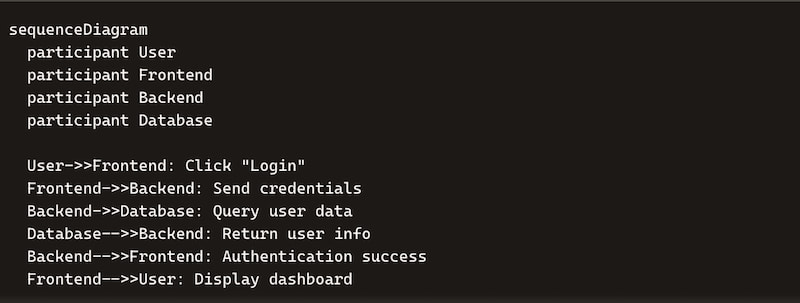
Sequence diagrams is the first example under a mermaid diagram. This is a great diagram for detailing interactions between different components. This kind of map can show how objects or components interact with the sequence of events.
To put it into context, developers are using these sequence diagrams for visualizing the flow of messages between system components. It is also helpful whenever we want to understand complex interactions in microservices architectures. More than that, this can illustrate the sequence of API calls. In conclusion, this helps ensure all team members have a clear understanding of system interactions.
Entity-Relationship Diagrams
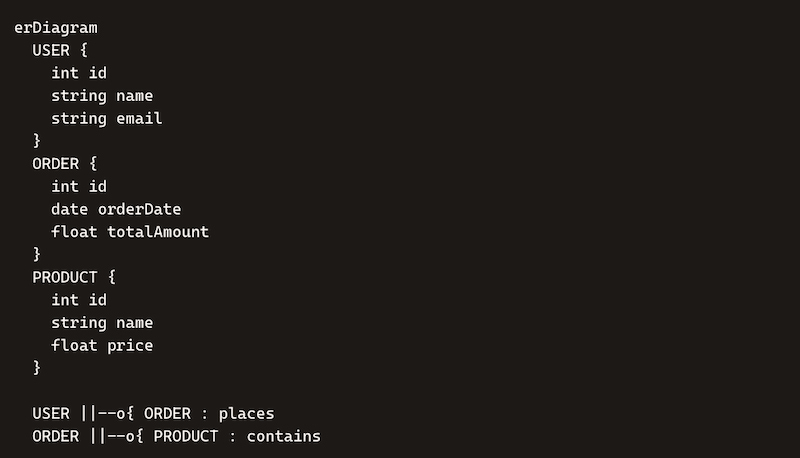
Next is Entity-Relationship or ER diagram. This example of a mermaid mind map is often used for database design and illustrating relationships between data entities. ER diagrams are known to be essential for designing a robust database schema. This simply helps teams visualize the structure of the database and understand how data is connected to each other. This may go down in ensuring data integrity. Yet, take note that this kind of mermaid diagram is useful during the initial stages of database design.
Gantt Charts
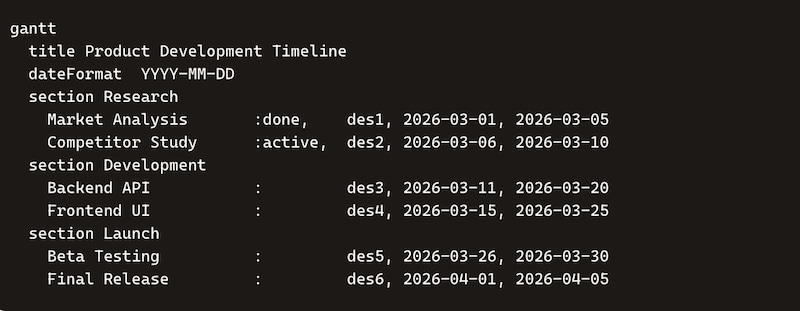
The third common example of a mermaid mind map is the Gantt chart. This is great for project planning and tracking timelines for your product team. In this kind of diagram you will see the start and end dates of project tasks. In your process of product development, Gantt charts help you plan and schedule projects, allocate resources, and track progress. Basically, it can provide you with a clear timeline of tasks. The end goal is to make it easier to manage deadlines and ensure projects stay on track.
Part 3. Draw a Mermaid Map with MindOnMap
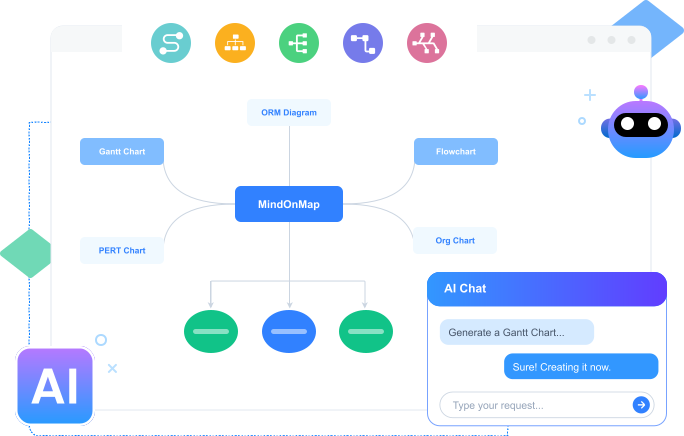
Using Mermaid.js is mainly for developers and it might be overwhelming for other users. Especially for the users who only need a mind map to present ideas with interesting visuals. Without being said, let us now create a much simpler mermaid mind map with the help of MindOnMap. These tools possess various elements like shapes and themes for your product team maps. But in this situation, let's use it to create mind maps like that one from Mermaid but make you easier and visually interesting.
Get the MindOnMap for free on their official website. Then install it immediately on your computer.
Secure Download
Secure Download
Proceed opening the tool and click the Flowchart option.
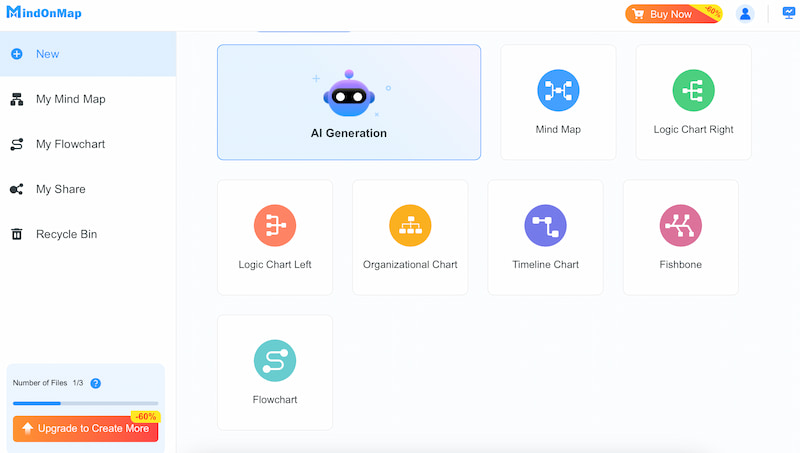
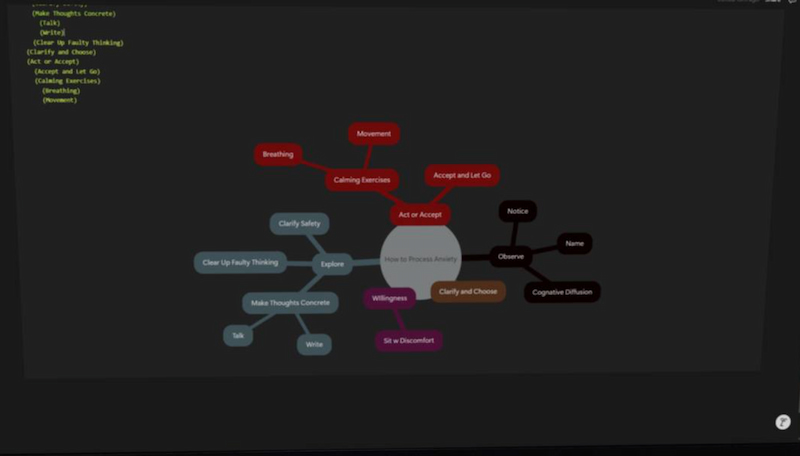
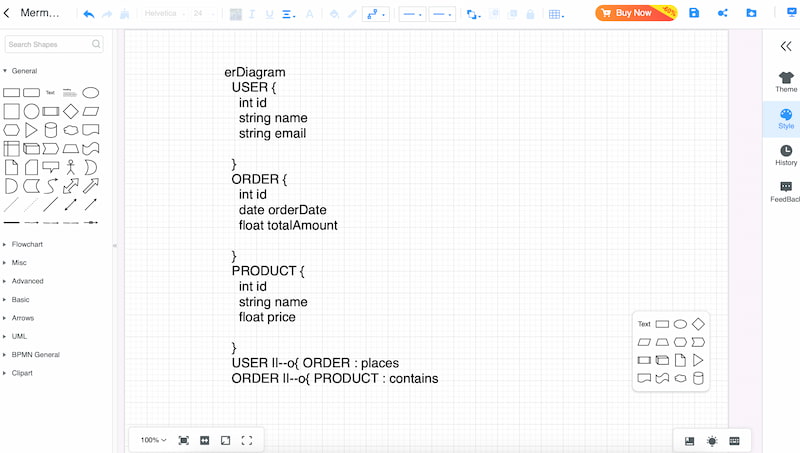
Checkout the editing interface of the tool. Proceed using the Text feature and type the details you need to see on your mermaid diagram alike. Please use the white color for your text.
It is now recommended to change the Theme or Color into black to imitate the syntax style from mermaid. Then you will be good to go. Click the Export button and choose the file format you need for your diagram.
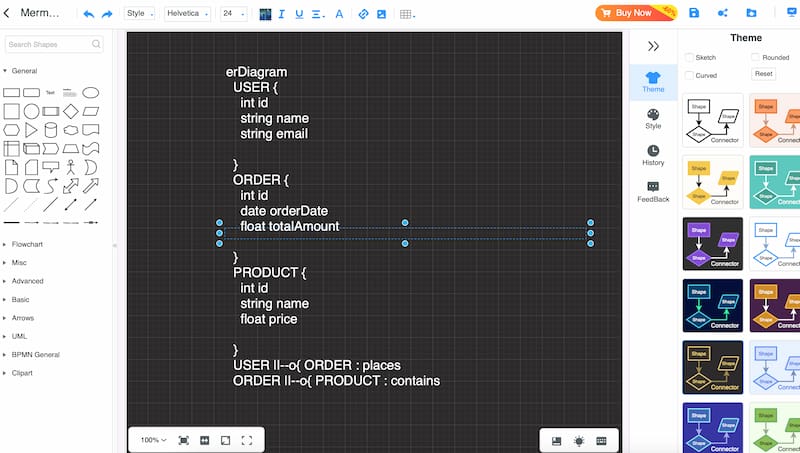
There you have it. MindOnMap really shows a simple way to create a mermaid diagram with ease right? We can see that the tool lessens the overwhelming process for other users that aren’t developers. Thus, you can now use it for free!
FAQs about Mermaid Mind Map
Can non-developers use Mermaid to create mind maps?
Yes. Although commonly it is being used by developers. But non-developers such as educators and simple users are very welcome to use it. As long as you are welcome with the idea of using it then you will be good to use it.
Is Mermaid free to create diagrams?
Yes. Mermaid diagrams are free and it is actually open-source. That means you can create diagrams without subscribing or purchasing.
Is creating a Mermaid overwhelming?
The process of creating a mermaid diagram with mermaids might be overwhelming, especially for those people who are not used to seeing syntax. Some elements might look like they are not making any sense for people who are not developers.
Conclusion
As we get to the conclusion, we can now say that Mermaid is indeed a great medium to help developers communicate their ideas and concepts for their product team. This makes the team more communicative and allows ideas to flow. Yet, If you get too overwhelmed with syntax in creating diagrams then MindOnMap is a great alternative you can use for the simple process of creating your own version of Mermaid diagram. Get it now for free and you will discover more of its features that you can enjoy.