How to Create an SDLC Diagram with Tips, Pros, and Cons
Quick Answer
An SDLC diagram visualizes the seven stage software development lifecycle: planning, requirements, design, development, testing, deployment and maintenance. Popular models are Waterfall, Agile, Spiral and V Model. It improves team communication, reduces risks and ensures software quality. Tools like MindOnMap can help you create this flowchart.
If you work in software development, you know how vital an SDLC Diagram is to your work. Thus, if you need a guide to discover important details about it, then this article is for you. This post will help you explore the definition of the diagram, its stages, and its importance to your field. In addition, we will guide you in creating an SDLC diagram in an effective way. Moreover, we will highlight some of the common mistakes, practical tips, and their pros and cons. Finally, you will also learn about MindOnMap and how it can help you design a structured framework. Read now and get every detail that you need to know.

- Part 1: What is an SDLC diagram?
- Part 2: How to Create an SDLC Diagram
- Part 3: Common Mistakes, Tips, Pros, and Cons
- Part 4: MindOnMap: Draw SDLC Framework
- FAQs about SDLC Diagram
Part 1: What is an SDLC diagram?
SDLC diagram is a structured visual representation of the software development life cycle. This simply illustrates the sequential stages involved in the process of building software. It usually includes planning, requirements, design, development, testing, deployment, and maintenance phases.
Stages of SDLC Diagram
There are seven phases of the SDLC diagram. Each phase is important and should be taken seriously to make the software launch successfully. The seven stages are the following:
- • Planning. This is where you define the scope, goals, and feasibility.
- • Requirements. It is where you gather user requirements and the needed system.
- • Design. This will be about the UI / UX and architecture.
- • Development. This is the process of coding and implementing.
- • Testing. A job of quality assurance personnel, where they need to validate the functionality and performance of the tool.
- • Deployment. This is the moment when you release it for production.
- • Maintenance Phases. Your software needs updates, bug fixes, and enhancements as many people use it.
Importance in Software Development
We mentioned that the SDLC diagram is vital for software development. In this section, let us now elaborate on why it is important. Here are the key points on it:
- • Assures Quality. The testing process will assure us of having reliable software.
- • Reducing Risk. Failed software might bring danger to users. Early detection of issues can save us.
- • Project Success. This brings us a high probability of completing the project on time and successfully.
Part 2: How to Create an SDLC Diagram
Step-by-step Guide to Creating an SDLC Diagram
You need to identify the goals and scope first. This will ensure the diagram reflects the real needs.
Next is to choose what SDLC framework you need. This must be based on the project complexity and flexibility.
Then, mapping the lifecycle, such as planning, requirements, design, and more, is needed. You can easily do it by using tools like MindOnMap to visually structure your chosen model.
Finally, you will have to present it to stakeholders for review and revision. Once everything is finalized, congratulations on finishing your SDLC diagram.
Models of SDLC Diagram
There are different models of SDLC diagrams. All of these have different purposes and usage depending on the complexity of your project. Here are the common examples:
- • Waterfall Model. This is linear and suitable for fixed requirements.
- • Waterfall Model. This is linear and suitable for fixed requirements.
- • Agile Model. This is iterative and flexible, suitable for developing projects.
- • Spiral Model. This model is focused on risk reduction. It is the hybrid version of agile and waterfall models.
- • V-Model. This model emphasizes the testing phase at each stage of the diagram.
Examples and Case Studies
As we connect it to the real world, here are some examples and case studies that use SDLC diagrams in their projects.
- • Banking System. This uses the waterfall model. This requires stable compliance and a sequential diagram.
- • E-commerce Platform. This is an example of an agile model. It requires frequent updates and customer feedback.
- • Healthcare App. An example of the spiral model
Part 3: Common Mistakes, Tips, Pros, and Cons
Common Mistakes
Here are some of the common mistakes you should avoid as you navigate your own SDLC diagram.
- • Unclear Requirement. An unclear specification can lead to more work.
- • No Documentation. Having poor records and data can be confusing.
- • Weak Testing. Lack of testing and quality assurance will lead to bugs in production.
Practical Tips
- Have Clear Goals. You need to align your objectives before you start the diagram.
- Use a Visual Tool. Use a great tool to turn your plan into a visualized structure.
- Review Regularly. Ensure you update diagrams as the requirements change.
PROS
- It can give a clear structure.
- This brings a better communication process.
- It reduces the risk for developers and potential users.
CONS
- This can take time to do.
- Some of its models are not flexible or suitable for dynamic projects.
- This might overwhelm you.
Part 4: MindOnMap: Draw SDLC Framework
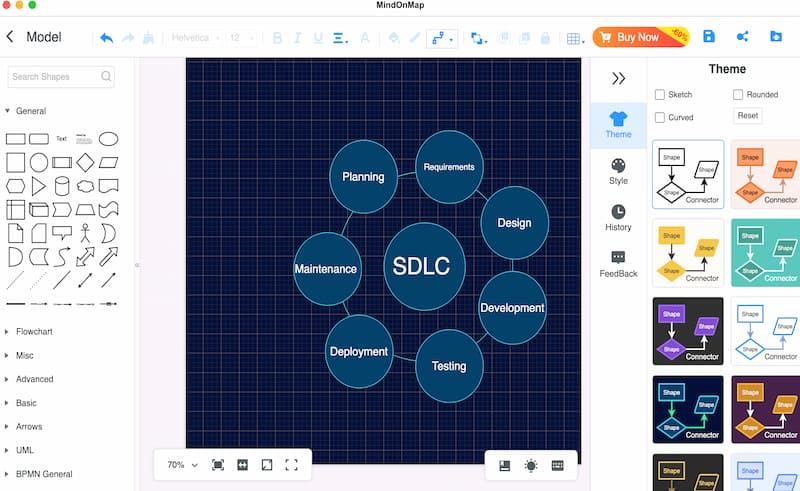
We learned many things about the SDLC. We also knew that using a great tool that can help us have a visual structure of it is a great practice to make. Good thing, MindOnMap is here to help us. This tool offers amazing features that we can use to build the framework. It possesses a wide range of elements for your design. The great thing about this tool is that it’s a free service for everyone. That means you can download and use it now. Just click the download buttons below or visit their official website for more information.
Secure Download
Secure Download
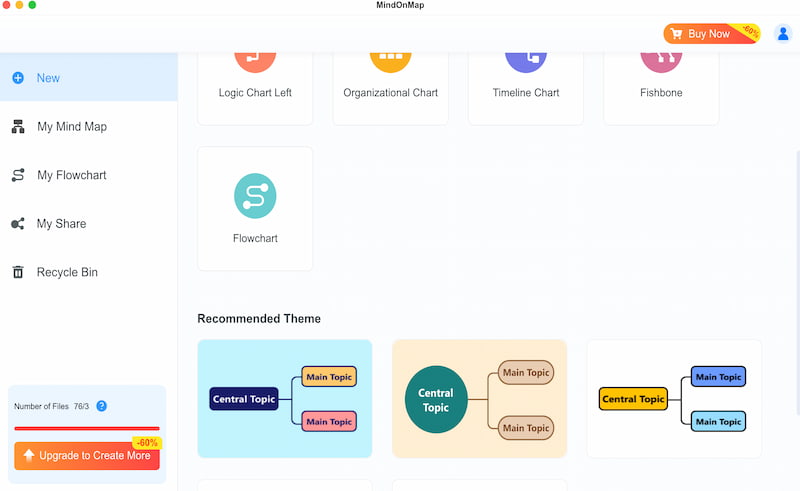
Open the tool on your computer. Then access the Flowchart feature. This can help you design your framework with ease.
You need to select the shapes you want to use. Then start creating the foundation of your design. Ensure that each shape represents the seven phases of the SDLC diagram.
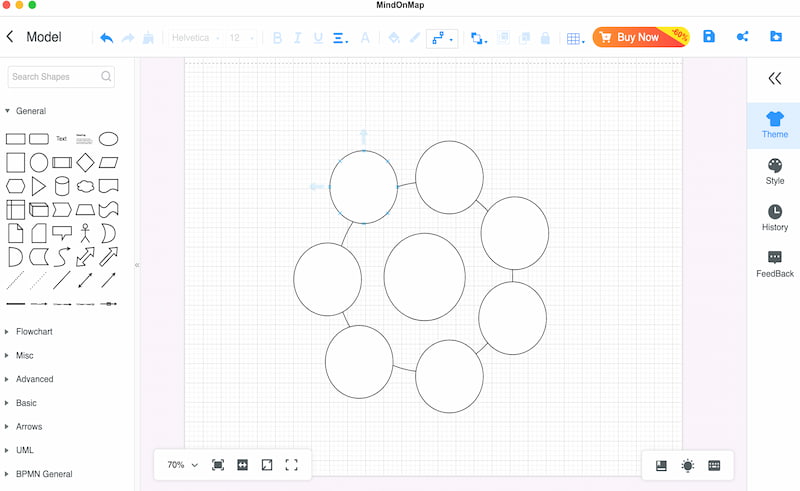
Tips: Use standard rectangles for core SDLC phases. Add diamond shapes for review gates or roll‑back paths for Spiral and V‑Model. Keep shape sizes uniform and use directional arrows to show workflow diagram. For Agile, add loop connectors for iterations. Avoid excessive different shapes to keep the diagram clear for stakeholders.
This is now the step where you add details using the Text feature. Add the details of the framework.
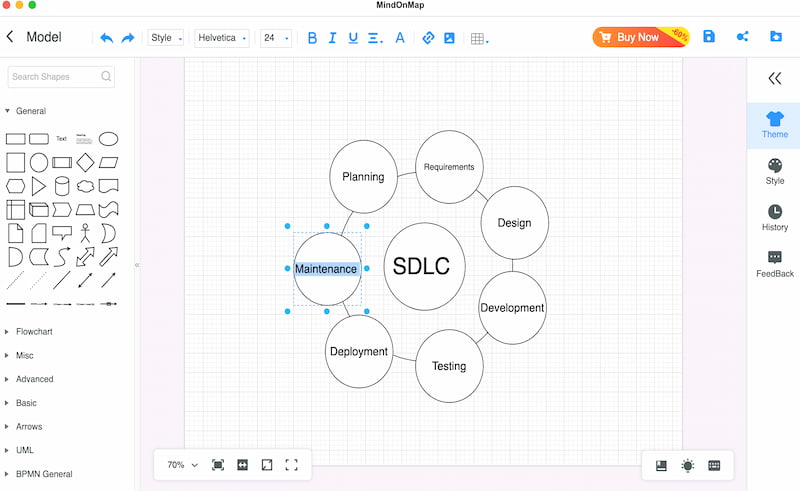
Finally, select the theme for the overall look of your framework. Then, click the Export button and save it in your preferred file format.
FAQs about SDLC Diagram
Q: What are the seven stages of the SDLC?
A: The seven SDLC stages are planning, requirement analysis, design, development, testing, deployment and maintenance. They form a complete workflow to build software, helping teams track progress, control risks and deliver stable products step by step.
Q: Agile vs Waterfall vs Spiral: which one should I choose?
A: Pick Waterfall for fixed, clear requirements. Choose Agile for projects needing frequent changes and fast iterations. Spiral works best for high-risk projects, as it repeats cycles of risk analysis, design and prototype building.
Q: What tool can I use to draw an SDLC diagram?
A: MindOnMap is a great free flowchart tool for SDLC diagrams. It offers various shapes, connectors and themes. You can map all lifecycle phases, adjust layouts easily and export your finished chart to common formats for sharing.
Conclusion
As we get to the conclusion, the SDLC diagram is a great practice for making your software development process safe, successful, and sustainable. We have seen that there are seven stages to follow, and MindOnMap is here to help us visualize these stages. Use it now on your project and make it more effective and efficient.